Animate a Photo: Turn a Product Photo into Video
Photo to video With your own photoFull vertical 9:16 1 try
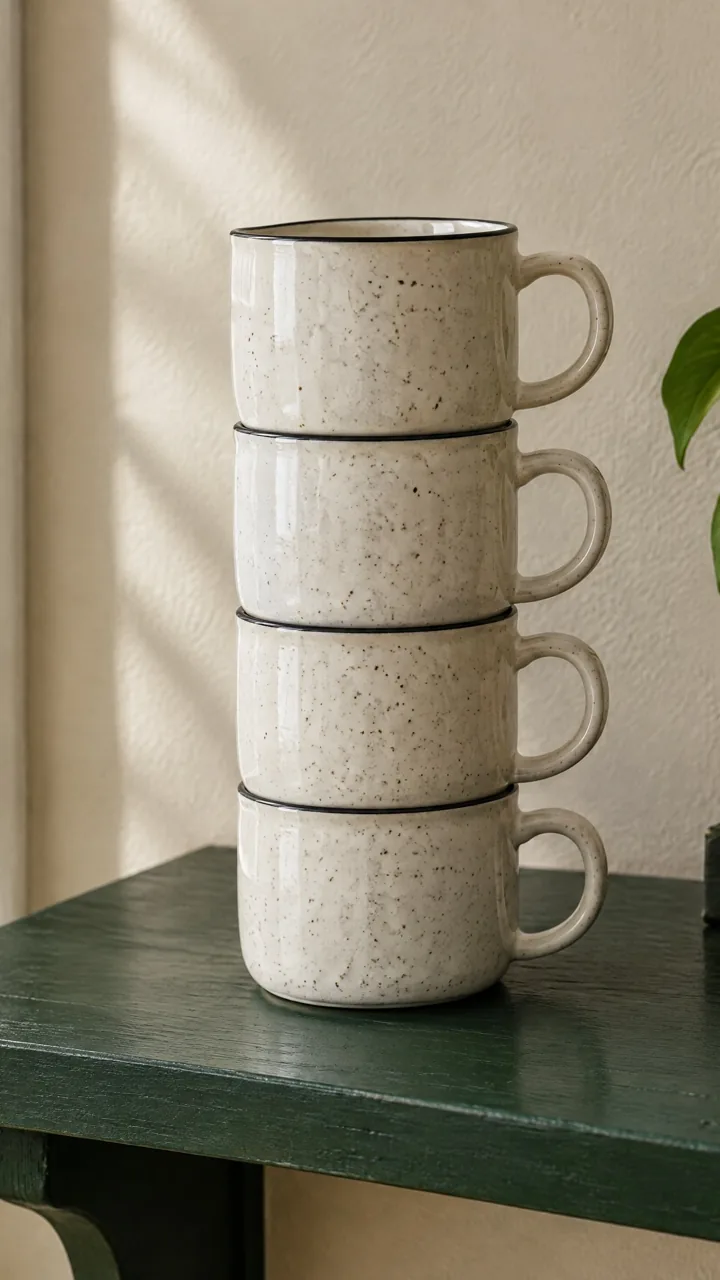
Product video from this photo. Camera: [a slow, smooth orbit of about 30 degrees around the product, at the same height]. Light: [a soft band of warm light sweeps slowly across the product from left to right, revealing the glaze and the speckles]. The product stays exactly the same: [four stacked speckled ceramic mugs] - same shape, same number, same color and handles; the product itself does not move or change. The background stays calm. Smooth, premium commercial look, no text, no logos.Replace the gold [bracketed] parts to match your own product, space or brand.
The prompt tells the model not to change these. Check the result anyway: these are the parts that break most often.
The back side that appears when the product turns is the model's guess: the side not visible in the photo (back label, pattern, handle details) may differ from the real product. Don't use this video to show the back of the product on a sales page; use a real photo or real footage.
Don't publish it if the product's color, count or shape changed in the video.
Creates a short promo video from a single product photo, circling around the product as light passes over it. For e-commerce product pages, Reels and ad openers.
In the square brackets, change the camera movement, the light and the product description. Write the product with its count ("four stacked mugs"); the model can struggle to get the number right.
The example was generated with Kling 3.0 via Higgsfield (5 sec, silent).
What happened across attempts: The camera didn't move; the product itself rotated: the prompt said "30-degree camera orbit, product stays in place", but the model turned the mugs as if on a turntable, and the handles moved from right to left. The four mugs, the speckles and the black rims were preserved; the back side that isn't visible is the model's guess.
Even with the same prompt and the same settings, you won't get an identical result: models generate something different every time. The example shows what kind of result this prompt produces; it is not a guarantee.
We use cookies to improve the site and measure advertising performance. Analytics and advertising cookies run only if you accept them. Details are in our Privacy Policy and Data Protection Notice.