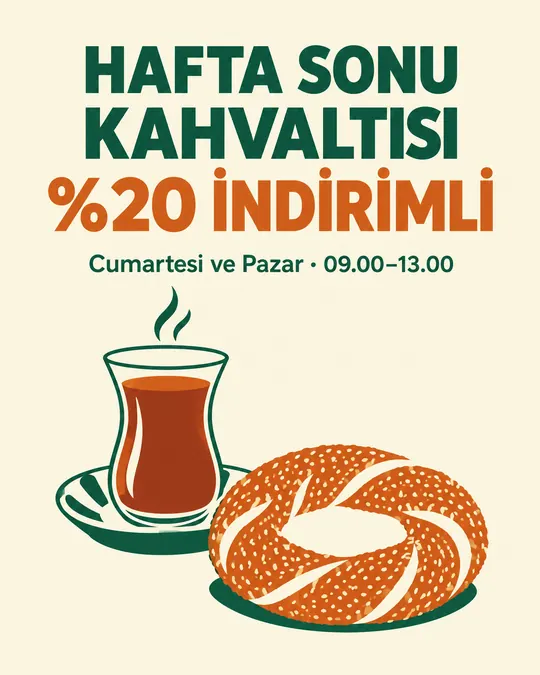
Discount Poster with Turkish Text (Letter Accuracy Tested)
Campaigns and postersPortrait 4:5 1 try
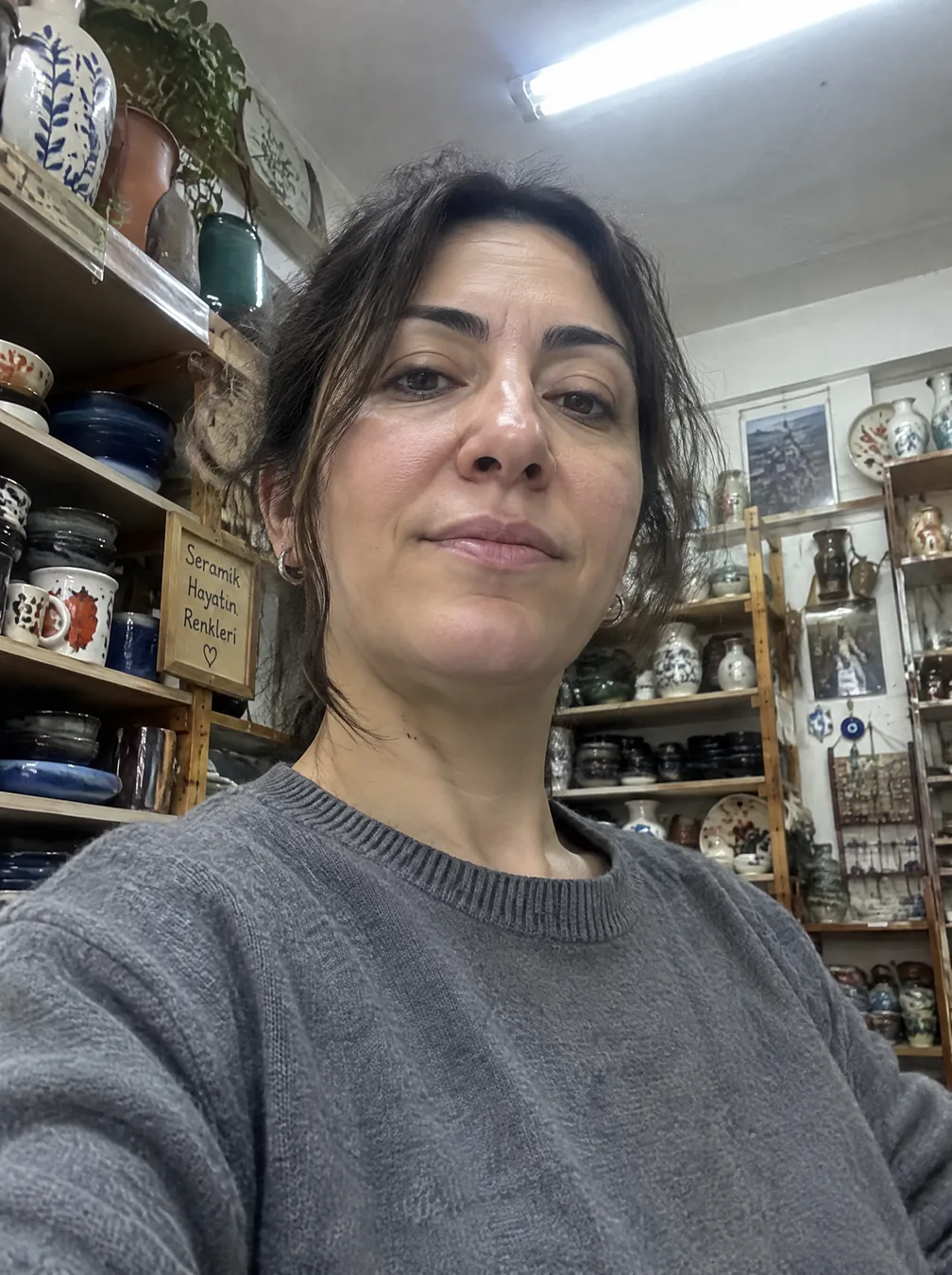
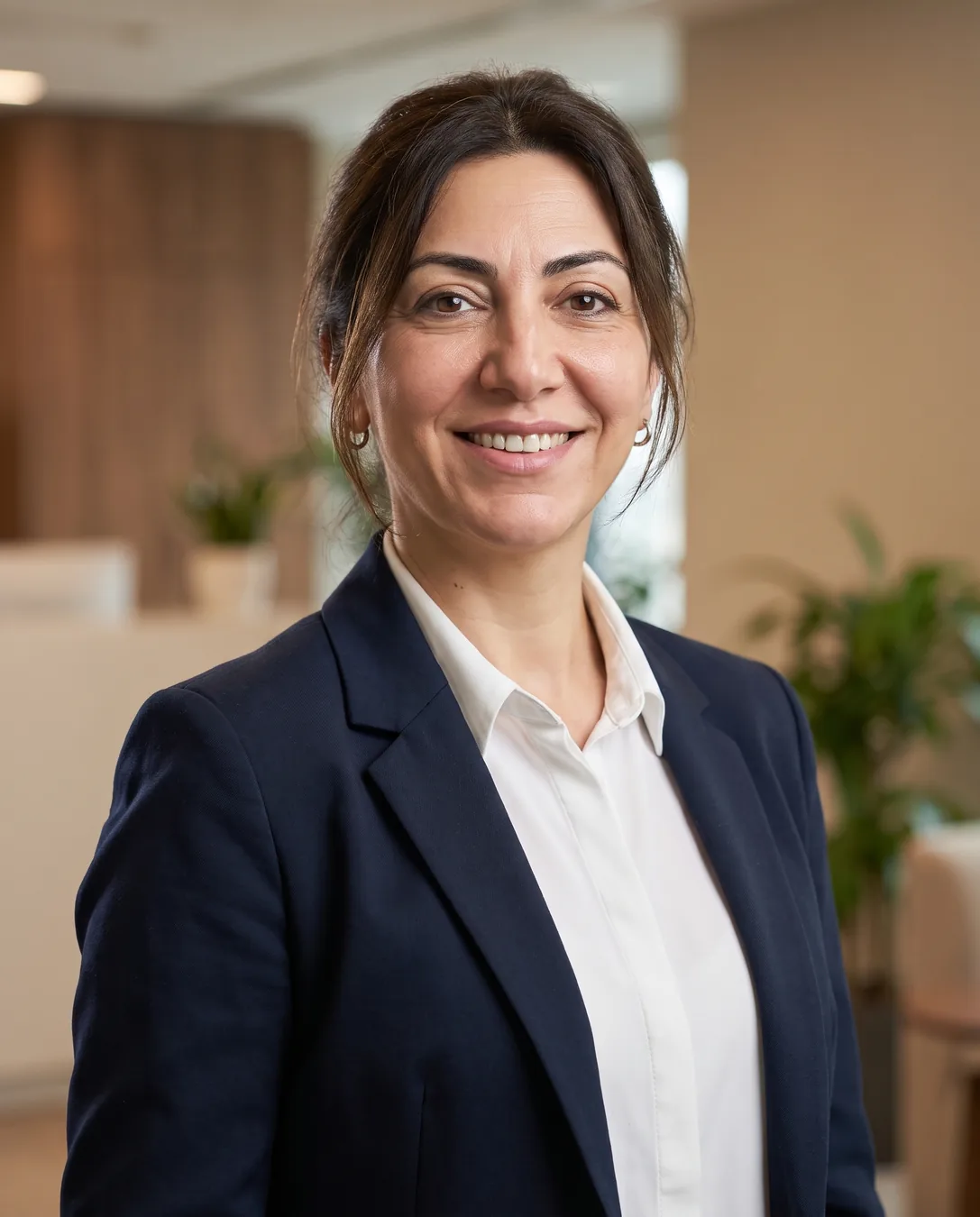
Use the person in the uploaded photo. Keep their face exactly the same: same facial features, skin tone, age, hairline, eye shape and natural lines - do not beautify, slim, de-age or change their ethnicity. Create a professional corporate headshot: head and shoulders, body slightly angled, face toward the camera, natural confident smile, wearing [a navy blazer over a plain white shirt]. Background: [softly blurred modern office in warm neutral tones]. Soft key light from the left, gentle fill, subtle rim light, 85mm lens look, shallow depth of field, natural skin texture with visible pores. Photorealistic, no text, no watermark.Replace the gold [bracketed] parts to match your own product, space or brand.
The prompt tells the model not to change these. Check the result anyway: these are the parts that break most often.
Don't use it with someone else's photo: only your own photo or that of a teammate who has given permission. Don't use it for official documents such as ID cards, passports or ID photos; the photo there must be real.
If the result has slimmed your face, made you look younger or made you look like someone else, don't use it: anyone who knows you will notice the difference, and it will cost you trust.
Turns an ordinary phone photo into a corporate headshot for your team page, Google Business Profile or LinkedIn. Upload your photo and paste the prompt. The prompt explicitly tells the model not to change the face, not to beautify it and not to alter the person's age; that is exactly the most common complaint.
Replace the parts in square brackets: the outfit (e.g. your own work clothes instead of the navy blazer) and the background (an office, the inside of your shop, a plain studio). A photo taken from the front in daylight preserves the face best.
The example was generated with Nano Banana 2 via Higgsfield. ChatGPT and Gemini can also edit uploaded photos; you can paste the prompt there too.
What happened across attempts: On the first attempt, the facial features, eyebrows and earrings were preserved; the face was not slimmed and the age was not altered. The hair was pulled back and the lighting changed. Input and output were checked side by side.
Even with the same prompt and the same settings, you won't get an identical result: models generate something different every time. The example shows what kind of result this prompt produces; it is not a guarantee.

We use cookies to improve the site and measure advertising performance. Analytics and advertising cookies run only if you accept them. Details are in our Privacy Policy and Data Protection Notice.