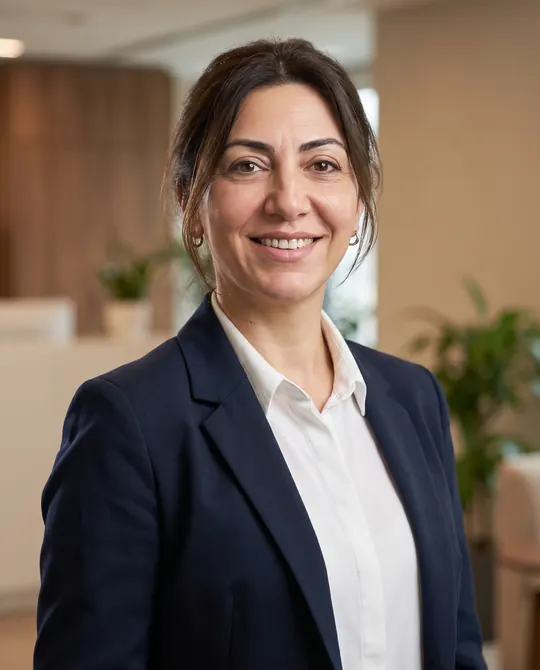
Professional Headshot from Your Own Photo (LinkedIn, Corporate)
Professional portrait With your own photoPortrait 4:5 1 try
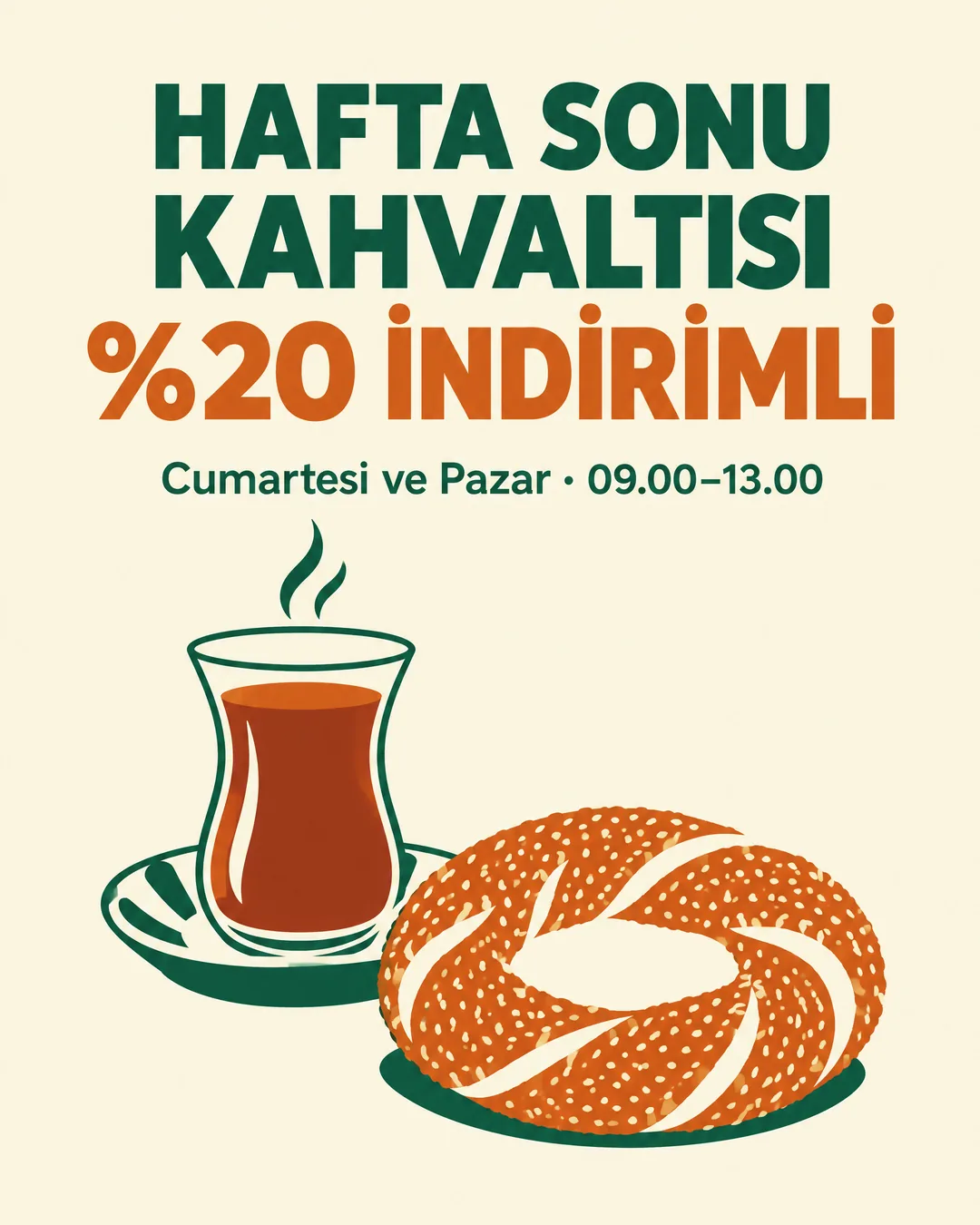
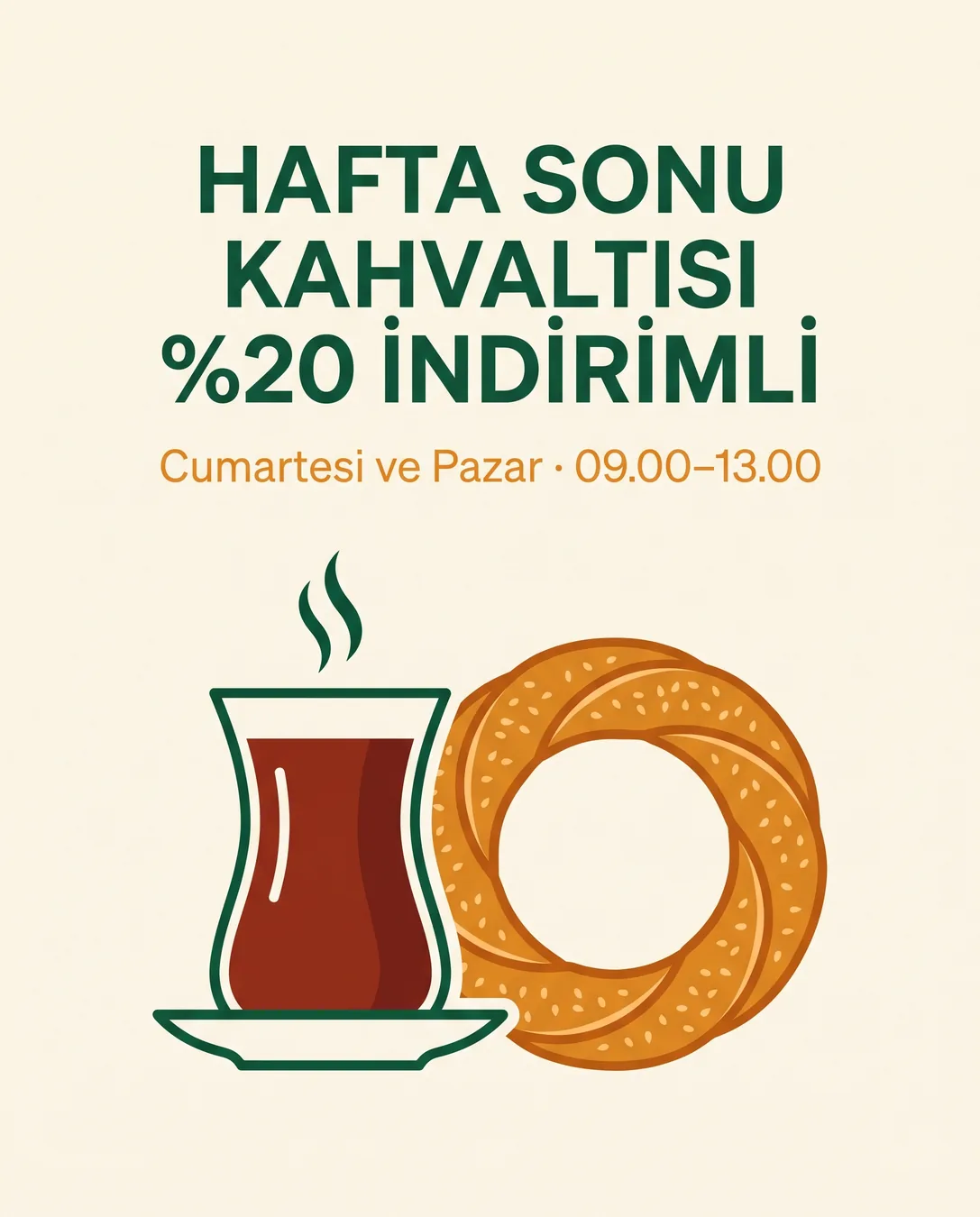
Instagram post poster for a [breakfast café] campaign. Large headline text exactly: "[HAFTA SONU KAHVALTISI %20 İNDİRİMLİ]". Smaller text exactly: "[Cumartesi ve Pazar · 09.00–13.00]". Write every letter exactly as given, including the Turkish characters (ş, ğ, ı, İ, ç, ö, ü); do not translate and do not add other words. Layout: headline at the top, [a simple flat illustration of a tulip-shaped tea glass and a simit] in the lower two thirds, generous empty margins. Colors: [cream background, deep green and warm orange]. Clean modern sans-serif type, high contrast, readable on a phone.Replace the gold [bracketed] parts to match your own product, space or brand.
The prompt tells the model not to change these. Check the result anyway: these are the parts that break most often.
Don't publish without checking the text letter by letter: in testing, both models spelled it correctly, but there's no guarantee they will every time.
Don't have the model write information that can't tolerate errors, such as prices, dates, phone numbers or addresses, into the image; add it afterwards with a tool like Canva. On a food poster, don't use an AI-generated "photo" in place of a real product photo; customers will find the plate looks different.
Creates an Instagram-post-sized campaign poster, text included. Turkish letters (ş, ğ, ı, İ) are the weakest point of image models; this prompt was run on two models at the same time and the letters were checked one by one.
In the square brackets, change the business type, the headline, the subline, the illustration and the colors. Write the text in quotation marks exactly as you want it to appear; don't delete the "do not translate" sentence, or the model may translate the text into English.
The examples were generated with GPT Image 2.5 and Nano Banana 2 via Higgsfield. The simit (a Turkish sesame bread ring) and the tea glass are illustrations, not real product photos.
What happened across attempts: Both models spelled every letter correctly on the first attempt: the dotted İs in "İNDİRİMLİ", the dotless Is in "KAHVALTISI", and the middle dot and the dash in the subline. The difference is in the illustration: GPT's simit doesn't really look like a simit, while Nano Banana's is more accurate. Two attempts, two models; a single attempt with each.
Even with the same prompt and the same settings, you won't get an identical result: models generate something different every time. The example shows what kind of result this prompt produces; it is not a guarantee.
We use cookies to improve the site and measure advertising performance. Analytics and advertising cookies run only if you accept them. Details are in our Privacy Policy and Data Protection Notice.