Fix a Blurry Photo
Photo sharpening and restoration With your own photoPortrait 4:5 1 try
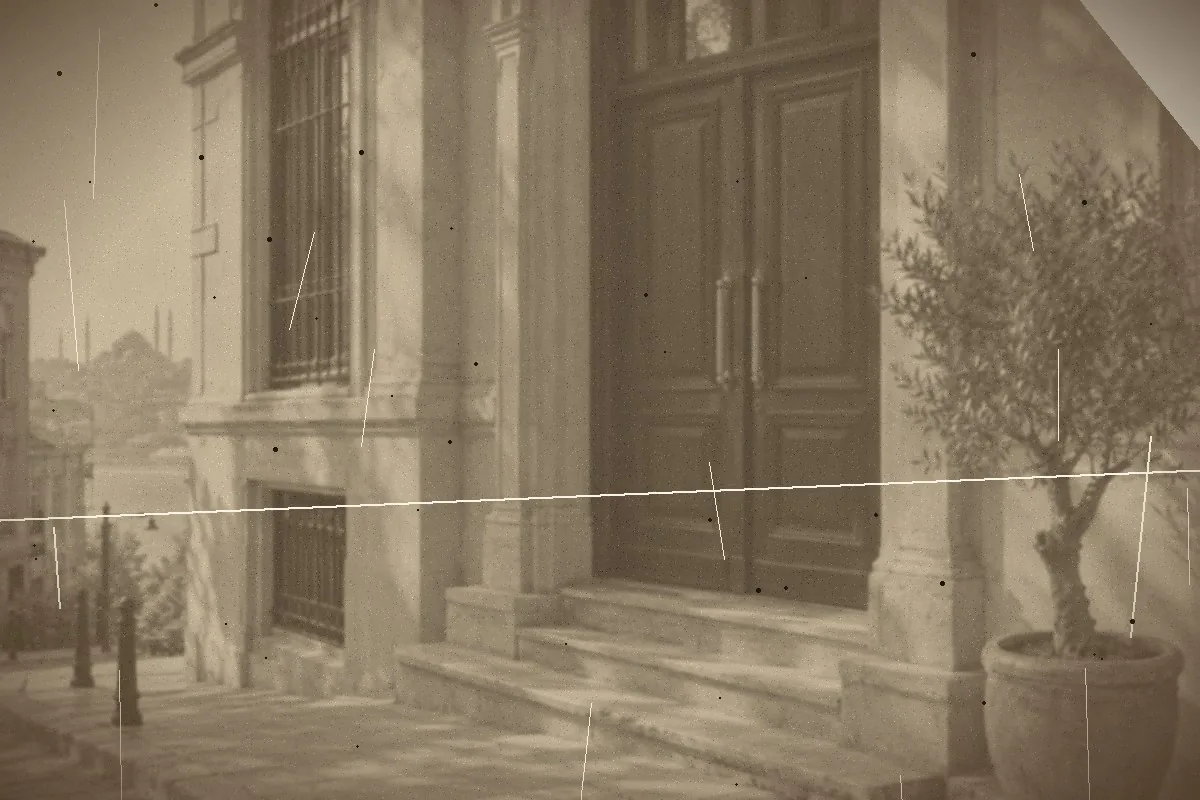
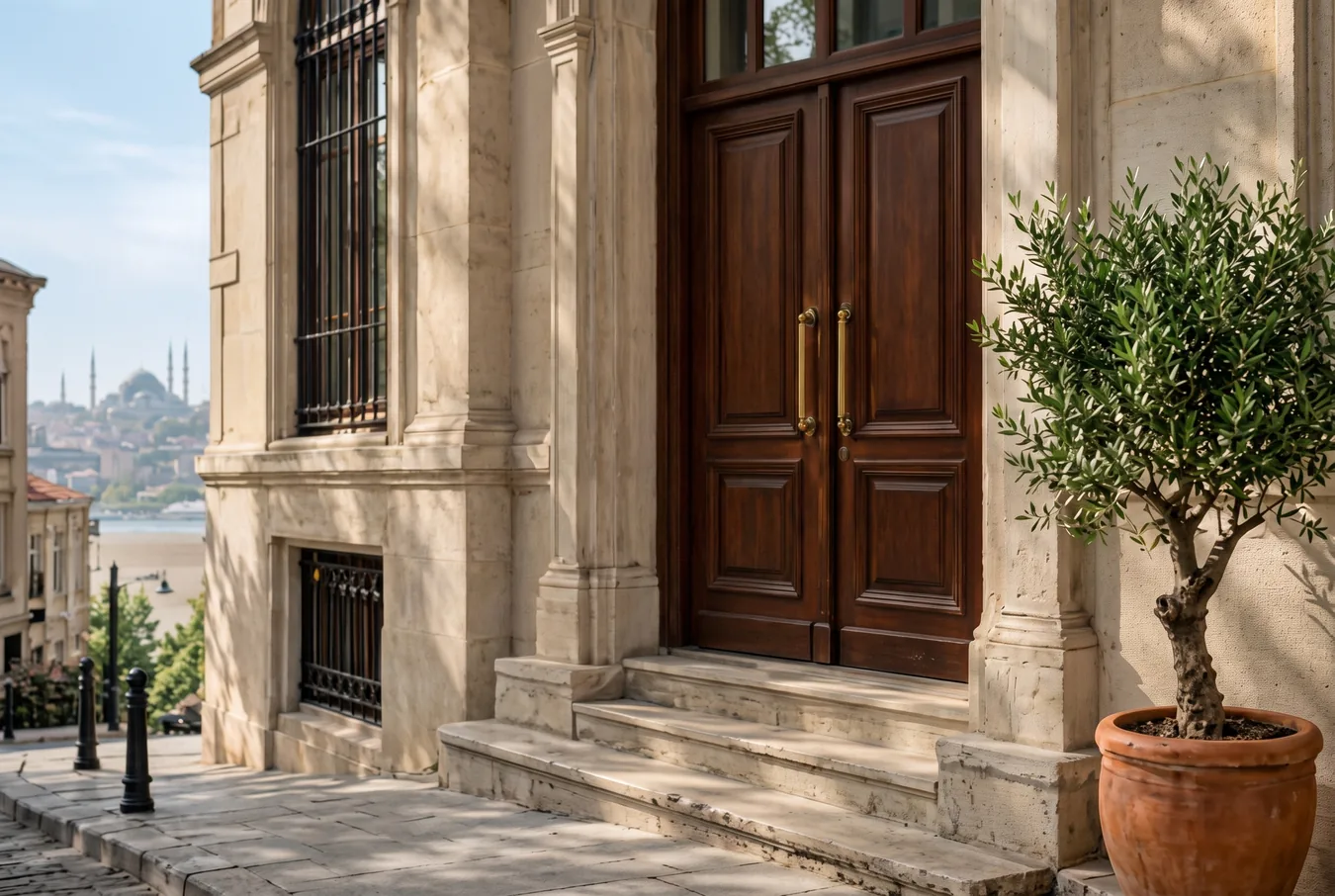
Restore this old, damaged photograph. Remove the scratches, dust spots, the crease line and the torn corner; fix the fading and the contrast. Then colorize it with natural, period-appropriate colors: [warm limestone facade, dark brown wooden doors, green olive tree in a clay pot, pale blue sky]. Keep the composition, the architecture, the proportions and every object exactly as in the original; do not modernize it and do not add people, signs or details that are not there. Keep a light natural film grain. Photorealistic result, not a painting.Replace the gold [bracketed] parts to match your own product, space or brand.
The prompt tells the model not to change these. Check the result anyway: these are the parts that break most often.
Colorization is a guess: the real color of the facade, the door or the clothing is unknown. If you'll publish it with a claim like "this is what our business looked like when it was founded", state that it was "restored and colorized with AI" and keep the original.
Don't use family or archive photos with people in them in ads without the permission of those people or their relatives.
Repairs and colorizes an old photo that is scratched, creased, faded or has a torn corner. For an established business's founding story, a hotel's history, a shop's early years.
If you know the main colors in the photo (e.g. the color of the facade, the door, the sign), write them in the square brackets; if not, leave "natural, period-appropriate colors". Scan the photo or shoot it with your phone, flat and without shadows.
The example was generated with Nano Banana 2 via Higgsfield.
What happened across attempts: On the first attempt, the scratches, dust, crease and torn corner were cleaned up and the photo was colorized. The architecture, the steps and the silhouette in the background were preserved. The colors are the ones written into the prompt plus the model's guesses.
Even with the same prompt and the same settings, you won't get an identical result: models generate something different every time. The example shows what kind of result this prompt produces; it is not a guarantee.
We use cookies to improve the site and measure advertising performance. Analytics and advertising cookies run only if you accept them. Details are in our Privacy Policy and Data Protection Notice.