Logo Concepts (Draft)
Logo and identity draftSquare 1:1 1 try
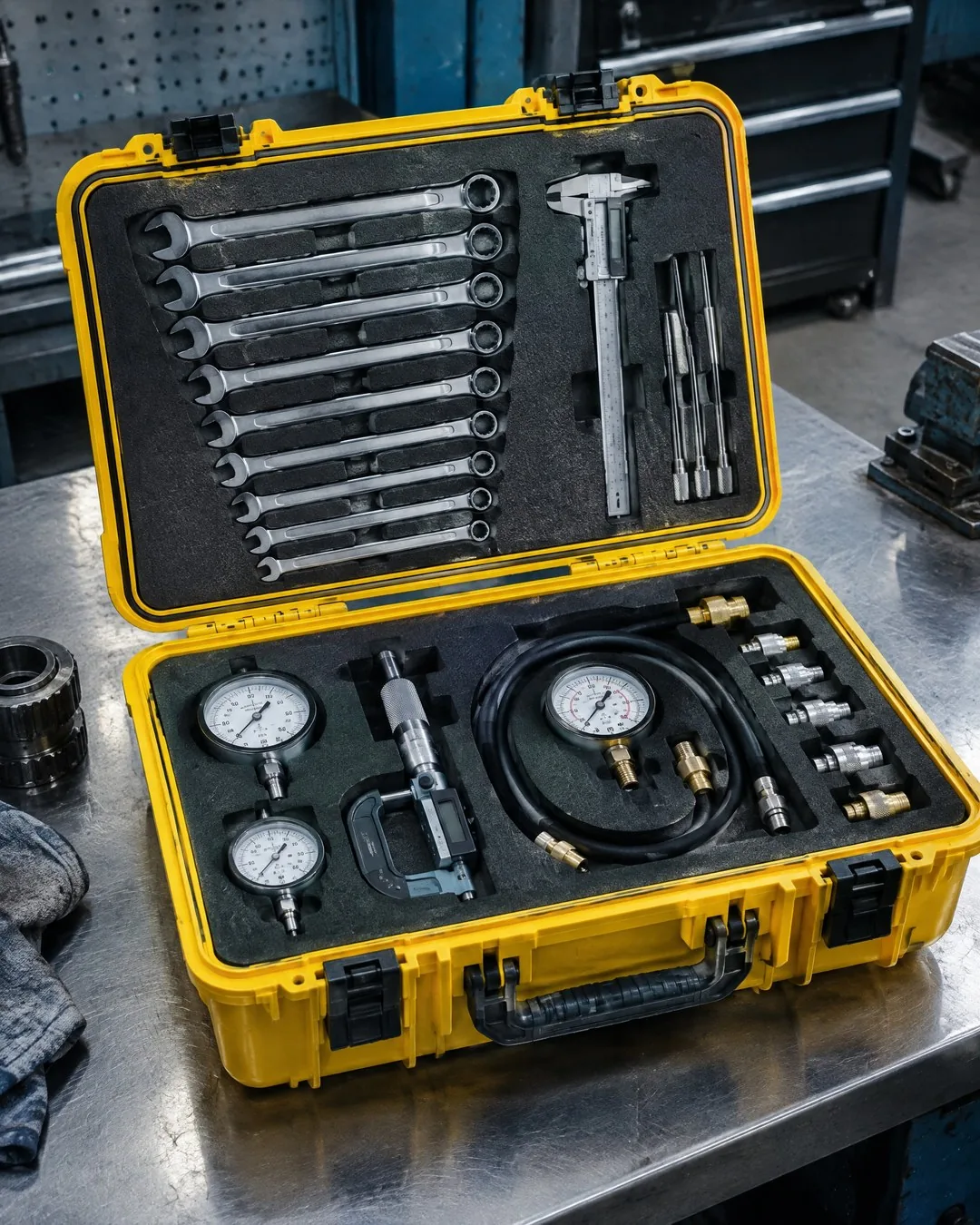
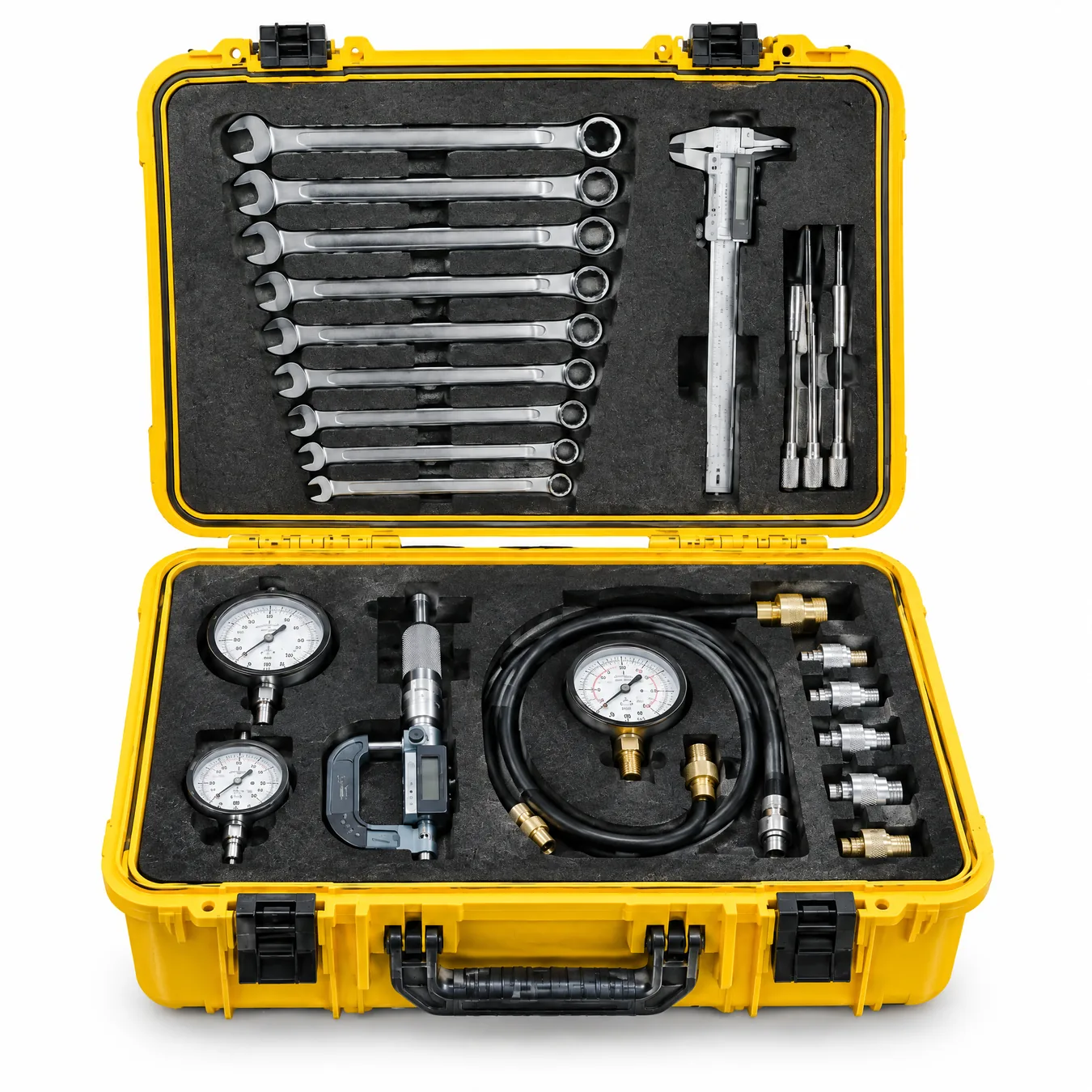
Create a marketplace main image from this product photo: the product alone on a pure white background (#FFFFFF), centered, filling about [85%] of the frame, square 1:1. Keep the product exactly the same: [the yellow technician tool case] - same shape, color, proportions, latches, handle and every visible detail; do not add or remove parts. Remove all other objects and surfaces. Soft, even studio lighting, a very light natural shadow directly under the product, no reflections, no props, no text, no watermark, no border.Replace the gold [bracketed] parts to match your own product, space or brand.
The prompt tells the model not to change these. Check the result anyway: these are the parts that break most often.
Before uploading, check the marketplace's current image rules; size and background requirements can change.
Small details on the product, such as text, dials or labels, may change; zoom in and compare with the real product. Don't use it if the product in the image (color, accessories, contents) differs from what is actually sold.
Turns a product photo taken in a workshop, on a table or on a shelf into a centered, square main image on a plain white background, for marketplace product pages.
In the square brackets, describe the product and every part on it. Adjust how much of the frame the product fills (85% in the example) to the marketplace's own rules.
The example was generated with GPT Image 2.5 via Higgsfield.
What happened across attempts: On the first attempt, the background, centering and shadow were correct; the wrenches, caliper, pressure gauges and fittings were in place. The small numbers and lines on the gauge dials changed, and the angle was adjusted to a slightly frontal view.
Even with the same prompt and the same settings, you won't get an identical result: models generate something different every time. The example shows what kind of result this prompt produces; it is not a guarantee.

We use cookies to improve the site and measure advertising performance. Analytics and advertising cookies run only if you accept them. Details are in our Privacy Policy and Data Protection Notice.