Visuals in Turkish · the full text is on this page
Tools · Social Media
30 ChatGPT Image Prompts, One Keyword Each
Upload your reference, type a single keyword like /reelcover or /mockup, and ChatGPT generates the image in that style.
Short answer
30 keywords that speed up image generation in ChatGPT: six shortcuts each in the social media, design, product and marketing, technology and cinematic categories (/quote appears in two lists, so there are 29 distinct words). The keywords are not built-in ChatGPT commands; you teach ChatGPT what they mean with a text you paste once into the project instructions, and after that you only need to upload a reference image and type one word. DijiKoçum’s PDF gives the keywords to start with and sample messages for 12 industries.
4 steps · 1 min read · · Turan Yasin Salcı
Step by step · 4 steps
0/4 checked · saved in this browser only
Open a project in ChatGPT.
Create a new Project and paste the full instruction text you received by DM into the project instructions field once. The custom instructions field may not be long enough for a text this size; project instructions are a better fit.
Pick your category.
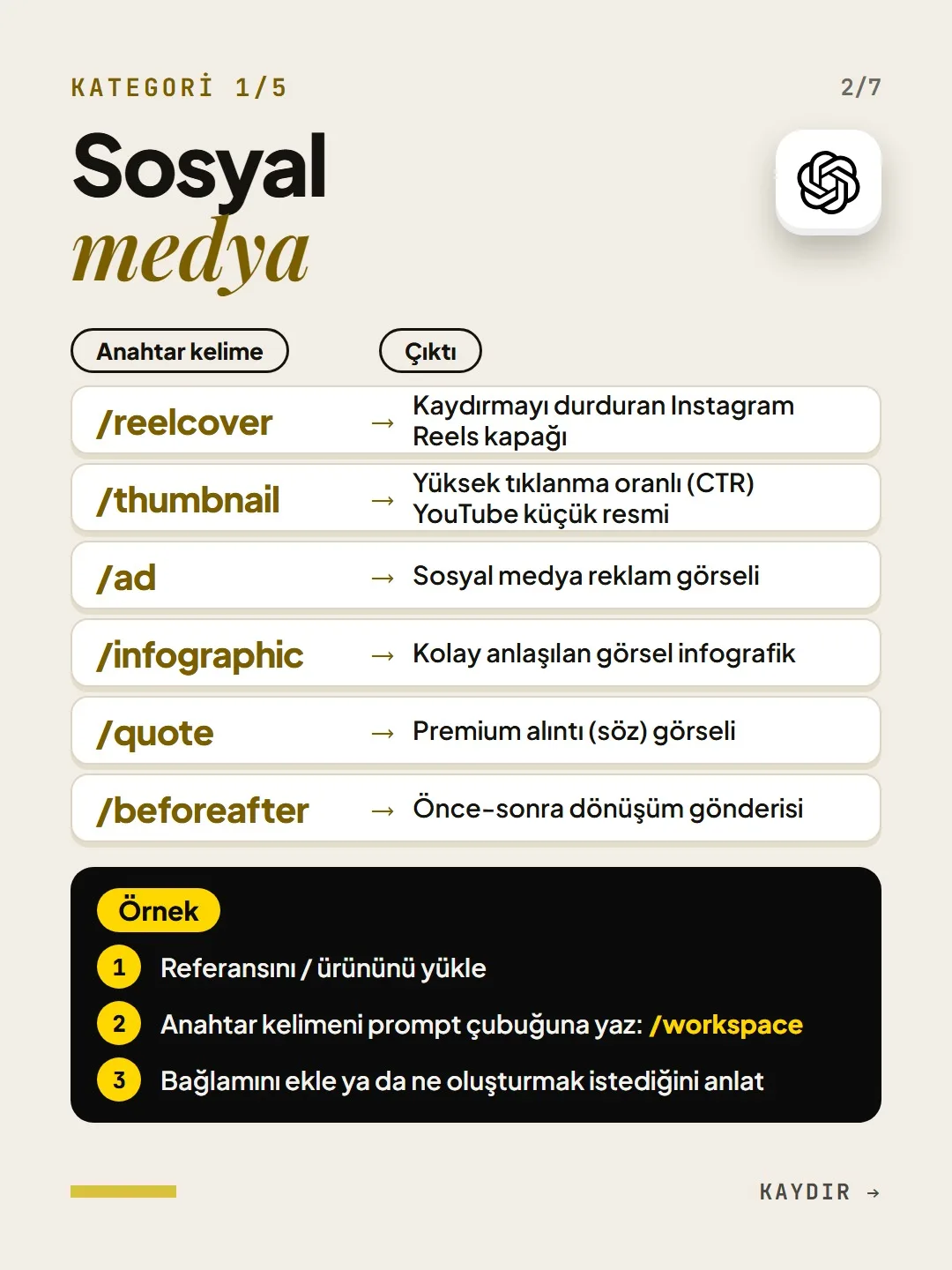
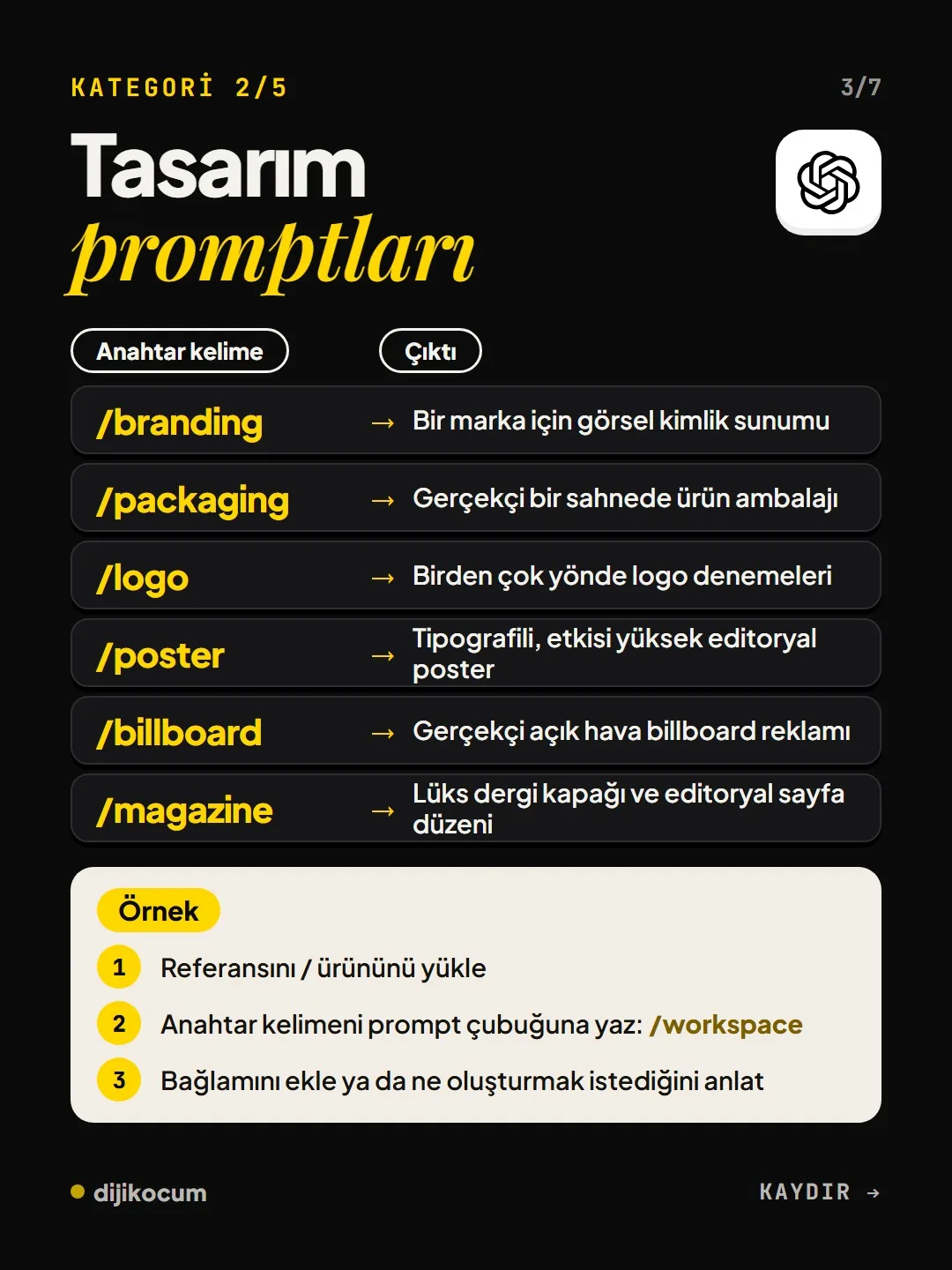
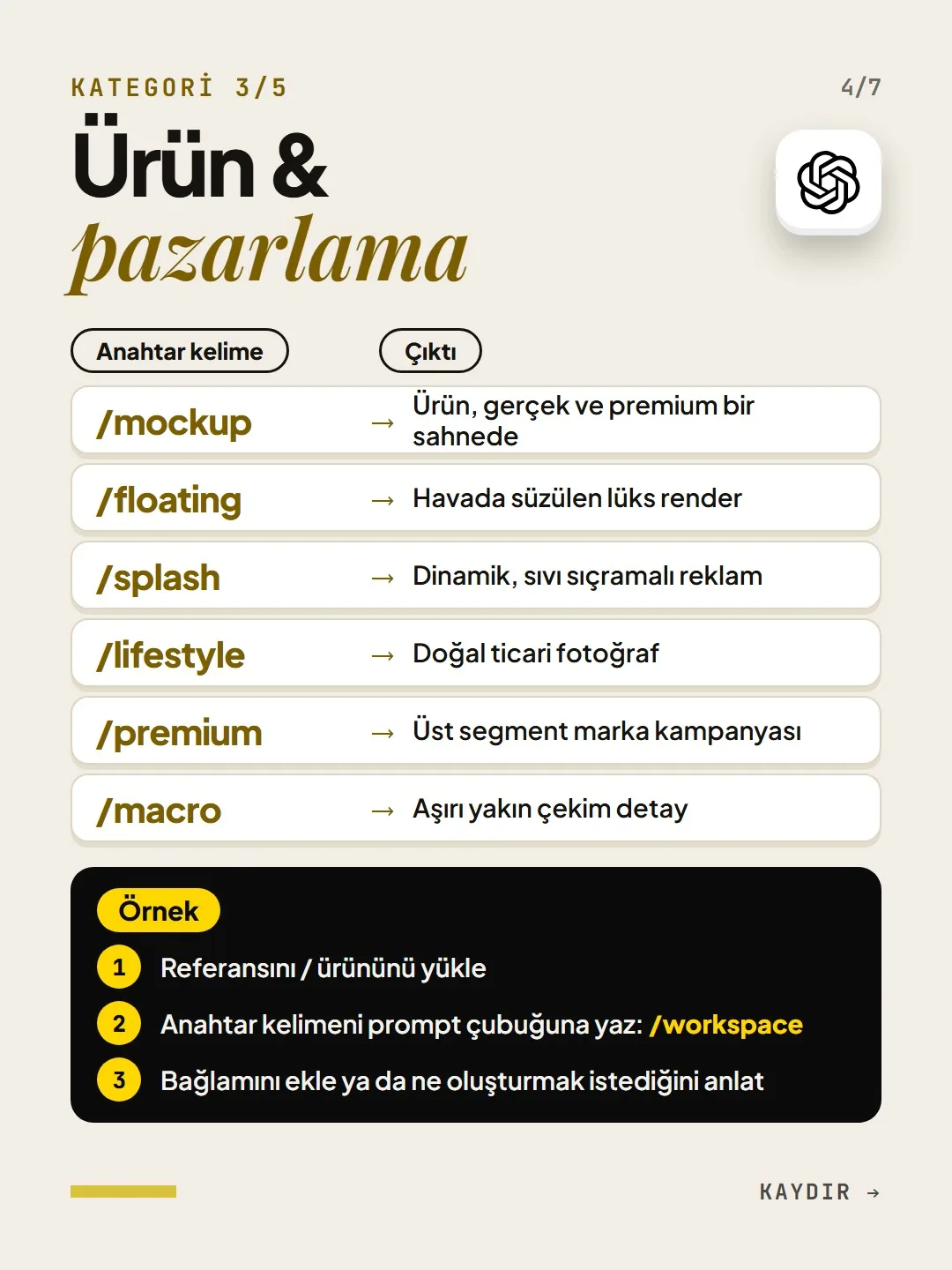
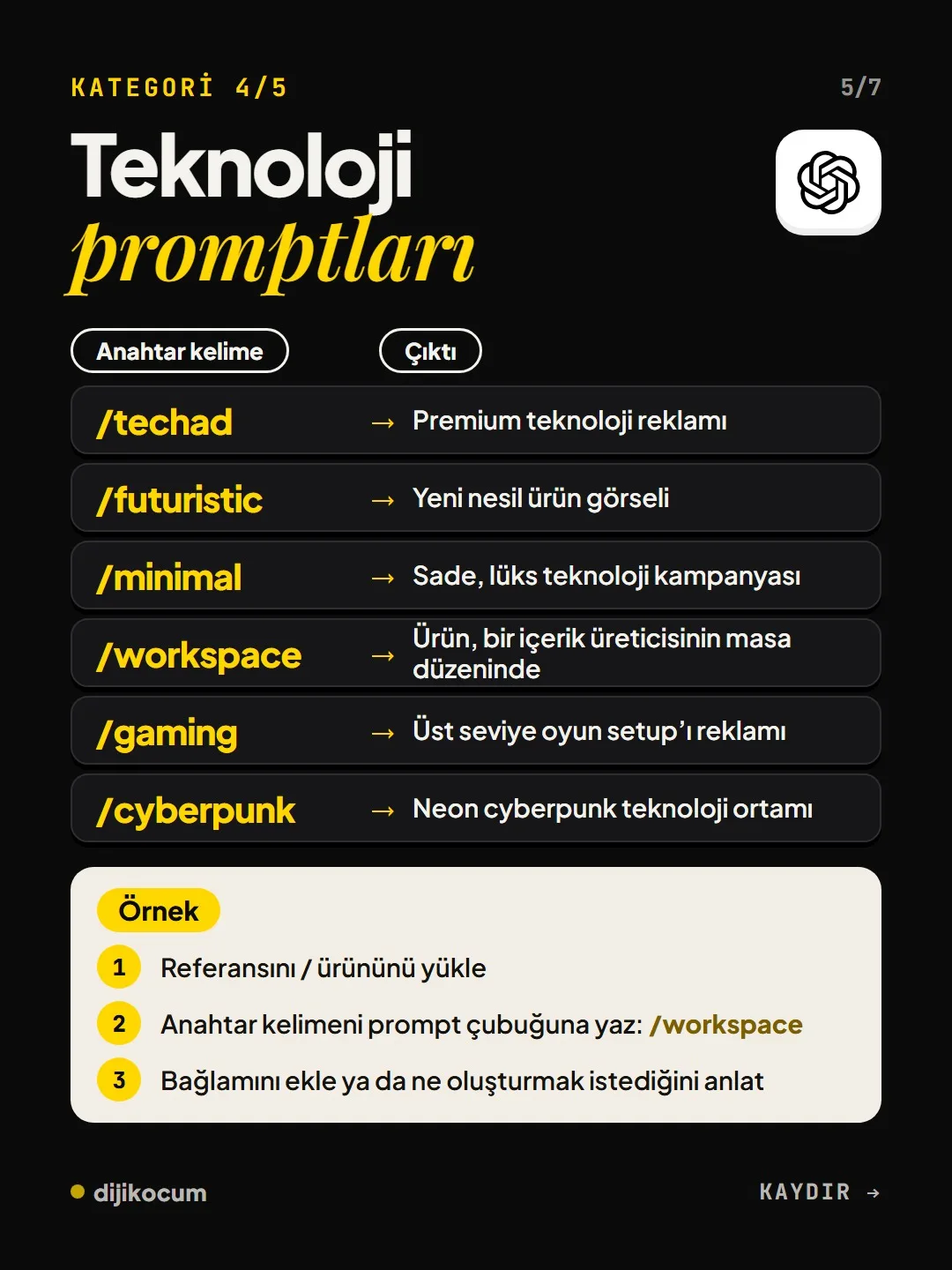
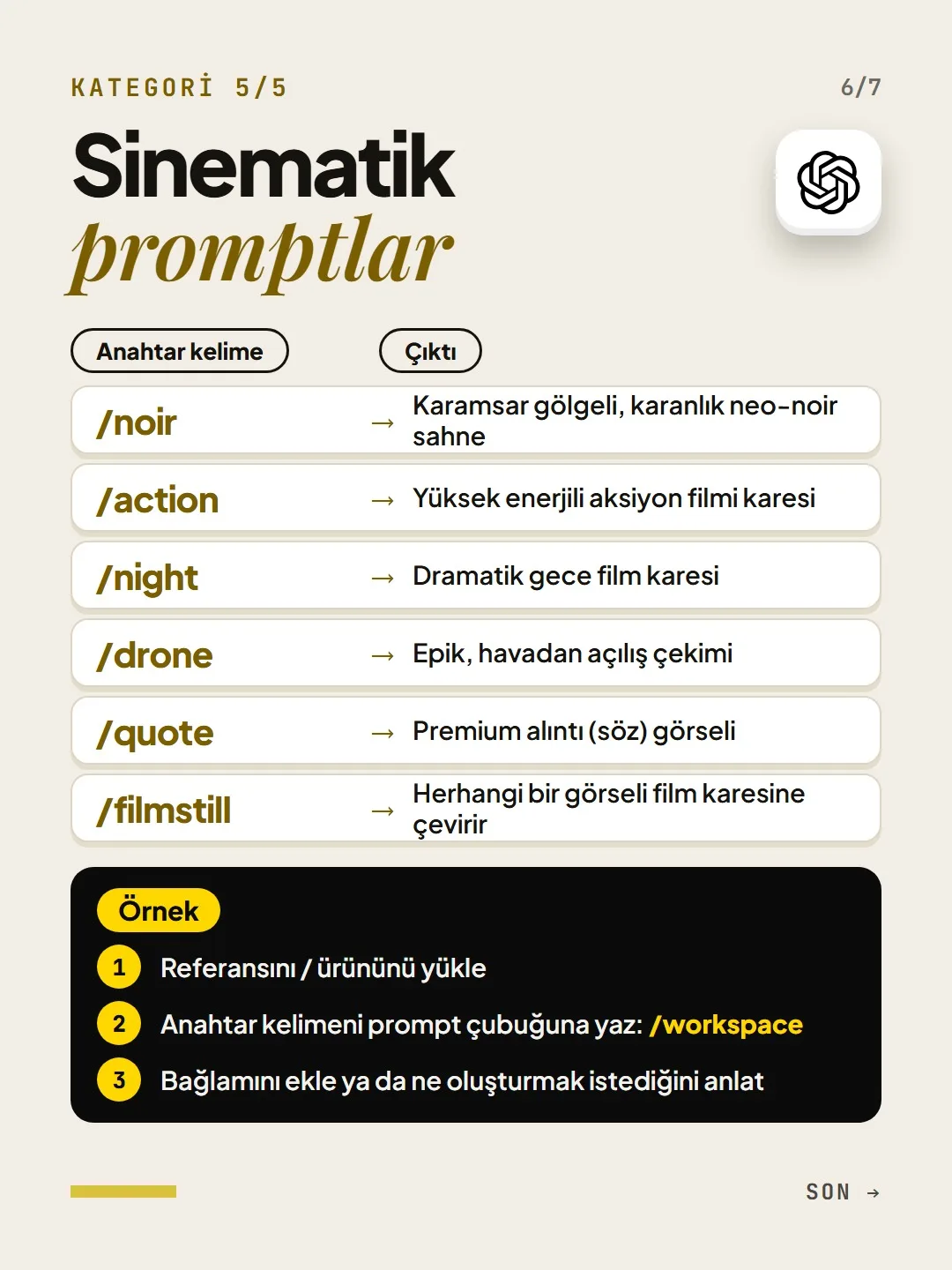
Social media: /reelcover, /thumbnail, /ad, /infographic, /quote, /beforeafter. Design: /branding, /packaging, /logo, /poster, /billboard, /magazine. Product and marketing: /mockup, /floating, /splash, /lifestyle, /premium, /macro. Technology: /techad, /futuristic, /minimal, /workspace, /gaming, /cyberpunk. Cinematic: /noir, /action, /night, /drone, /quote, /filmstill.
Upload the reference, type the keyword, describe the context.
Always generate the images in chats inside this project. First upload the product or reference photo, then type the keyword and what you want. Sample messages for a cafe:
/splash iced latte, with a cinnamon cookie on the side /macro the cheesecake I uploaded, evening light /reelcover title: “The winter menu is here”Check the logo and the text.
The product’s logo and the text on it can get distorted. Look closely before you post, and if needed ask again with “don’t change the logo or the text”; the image should look the same as the real product.
Free · PDF
Download the 30 image shortcuts by industry (PDF).
A printable checklist version of the steps on this page. The PDF is in Turkish; no sign-up needed.
Download the checklist (PDF in Turkish)Sources
- DDijiKoçum guide to ChatGPT image shortcuts (30 keywords, 12 industries)Our own data · checked: October 4, 2026
[A] primary source · [B] industry research · [C] practitioner · [D] our own data
Frequently asked questions
Are keywords like /reelcover ChatGPT’s own commands?
No. They are shorthand for image generation; ChatGPT learns what they mean from the text you paste into the project instructions. Add the text once and it works in every chat in that project.
Can a dental clinic use these shortcuts?
Because promotion rules for dental clinics are strict, a clinic should start with the informational keywords. The ad and before-and-after keywords should not be used.
How many images can I generate?
The image generation limit depends on your ChatGPT plan. If you are close to the limit, work with the few keywords you use most.
Next step
Let’s look at your site together.
Free Digital Checkup: a health score for your website, your ads and your visibility in AI search, plus what to fix first. 3 minutes.
More guides

Tools
How to transform product photos with ChatGPT Images 2.5: 20 ready-made image prompts (step by step)
26 steps · 14 min
Tools
5 Free Animation Skills for Claude Code: How to Install Three.js, GSAP, design-dna, LottieFiles and Genjutsu (Step by Step)
16 steps · 9 min

Tools
How to Use the Prompt Library and Prompt Builder: Copy a Ready-Made Prompt, Fill In the Blanks
9 steps · 7 min