Visuals in Turkish · the full text is on this page
How-To Guide · Automation
How to connect Instagram to Claude: two safe ways to set up comment-to-DM, a DM assistant and scheduled posting (step by step)
When someone comments the price keyword, they get a private message within seconds; an assistant answers frequently asked questions; your post goes live only after you approve it. All without giving your password to any tool, using only Meta's official route.
Short answer
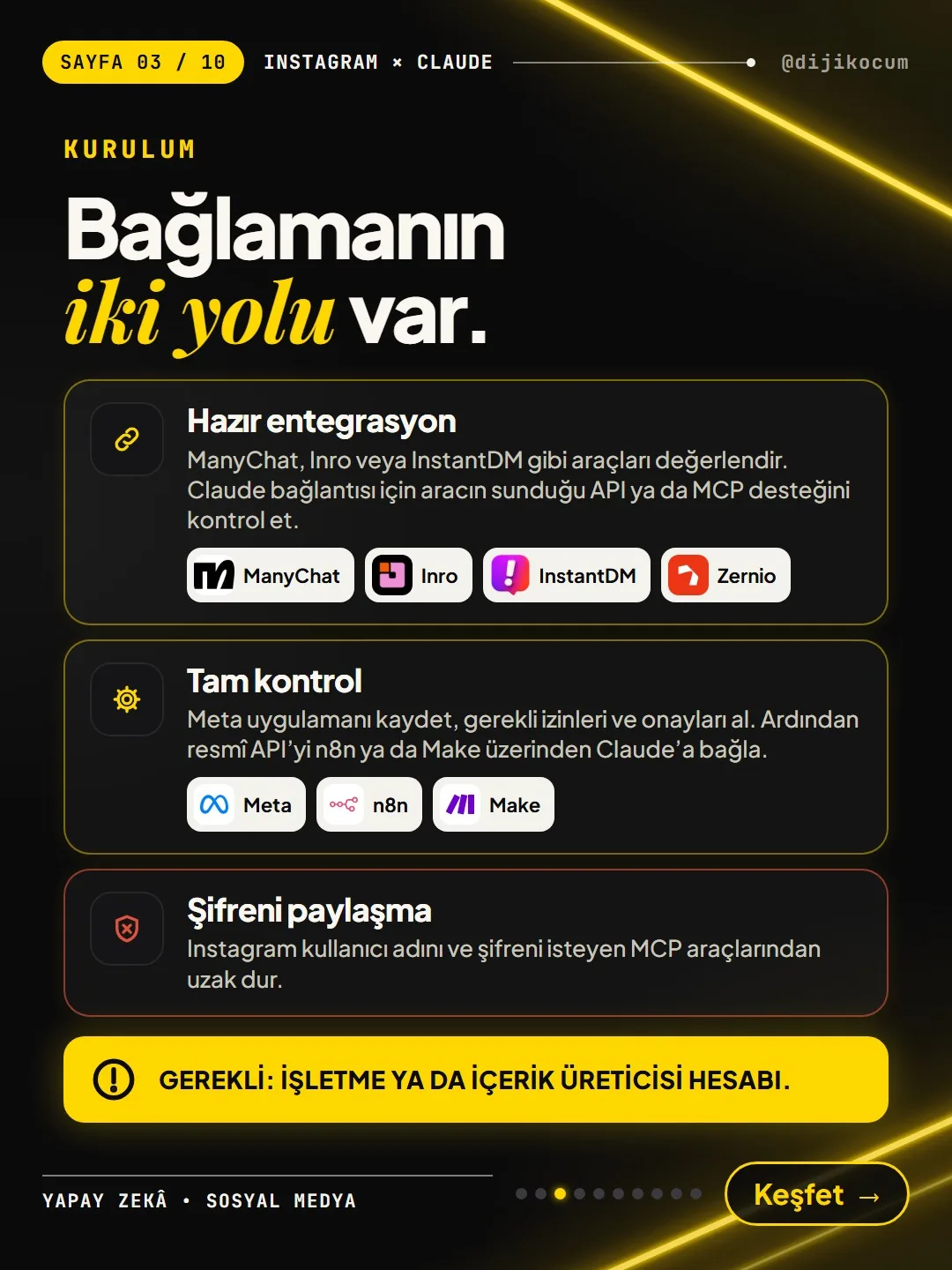
There are two safe ways to connect Instagram to Claude: a ready-made tool that uses Meta's official API (ManyChat, Inro, InstantDM, Zernio), or full control with your own Meta app through n8n / Make. In both, you first switch your account to a professional account and you never type your password into any tool; you grant permission from Meta's consent screen. On this page you'll find, in order, the steps for both routes, the required permissions, Meta's 24-hour rule and a complete security checklist.
15 steps · 11 min read · · Turan Yasin Salcı
Step by step · 15 steps
0/15 checked · saved in this browser only
Know what you can set up.
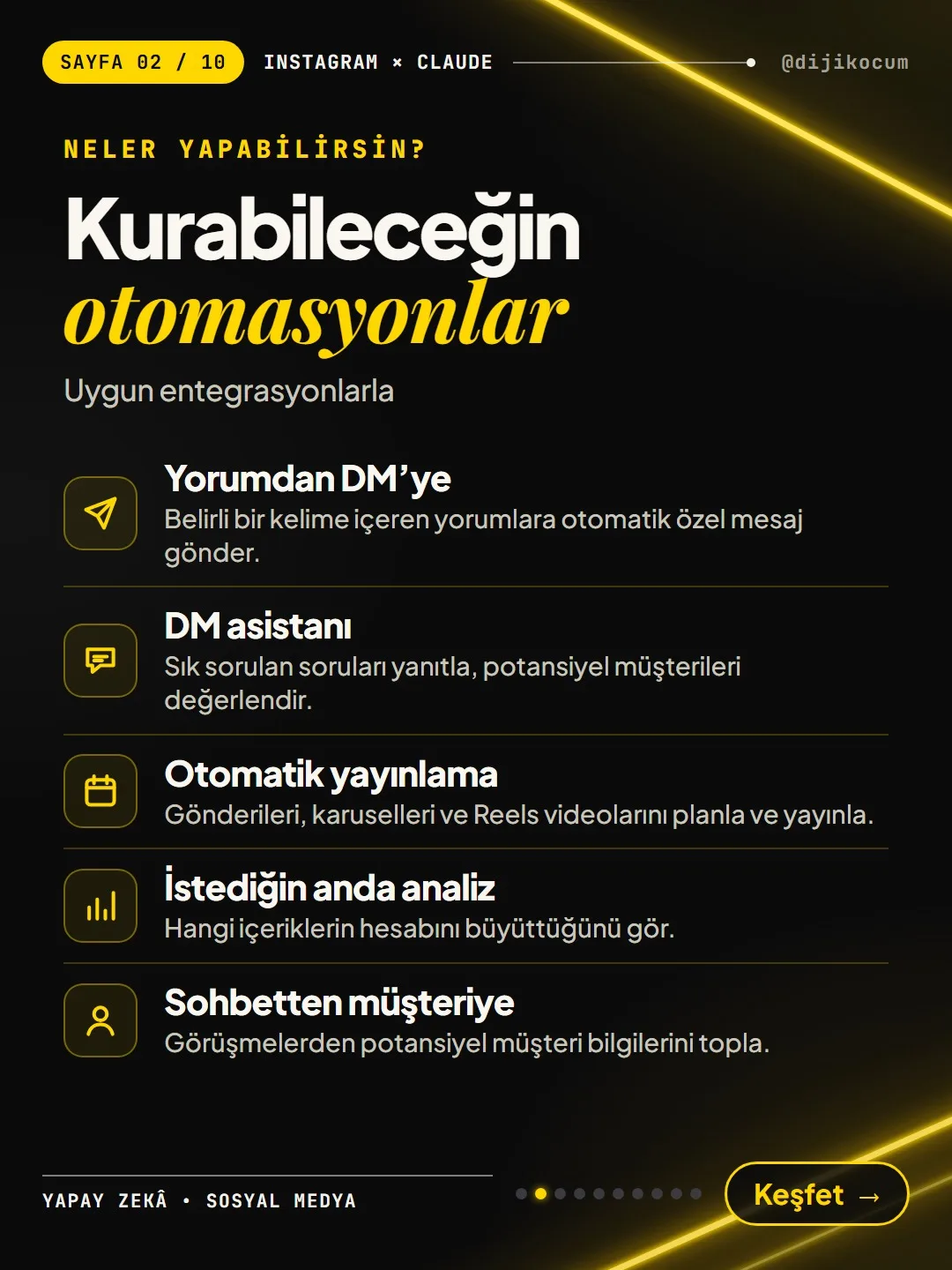
When you connect your Instagram account to Claude through a suitable integration, you can automate these five jobs:
- Comment-to-DM: Automatically send a private message to comments that contain a specific word.
- DM assistant: Answer frequently asked questions and qualify potential customers.
- Automatic publishing: Schedule and publish posts, carousels and Reels.
- On-demand analysis: See which content is growing your account.
- Conversation to customer: Collect potential customer details from conversations.
Here Claude is the side that writes the text: it drafts the replies, the carousel copy and the caption. The tool or workflow you connect is what actually sends the message or publishes the post.
First, switch your account to a professional account.
The official API doesn't work with a personal account; this is the first requirement for both routes. In the Instagram app, go in this order:
Settings > Account type and tools > Switch to professional account > Business or Creator
Choose "Business" if you have a business, or "Creator" if you make content under your own name. If your account is already professional, skip this step. (Menu names may look slightly different depending on the app version.)
Which route is right for you?
Route 1 · Ready-made integration (no code, fastest): You pick a tool that uses Meta's official API, such as ManyChat, Inro, InstantDM or Zernio. You don't write code; you set up your rules in the tool's dashboard. For the Claude connection, you need to check the API or MCP support the tool offers.
Route 2 · Full control (official API + n8n / Make): You register your own Meta app, get the required permissions and approvals, and connect the official API to Claude through n8n or Make. It's more technical, but every step is in your hands.
The rule that doesn't change on either route: don't share your password. Stay away from tools (MCP tools included) that ask for your Instagram username and password. On the official route, the password is never typed into a tool.
If this is your first setup, start with Route 1.
Route 1 · Choose the tool and connect Instagram.
- 01Pick a tool: tools that use Meta's official API, such as ManyChat, Inro, InstantDM or Zernio.
- 02Connect Instagram from inside the tool with the "Log in with Instagram" or "Connect with Facebook" button. You don't type your password into the tool; you grant permission on Meta's own consent screen.
Are you on the right screen? The window that opens when you press the button should be Instagram's or Facebook's own login/consent screen, and it should list the permissions being requested. If you're asked to type your username and password into a box on the tool's own page, stop: that tool isn't using the official route.
How you know it's connected: Your Instagram account shows as "connected" with its username in the tool's dashboard.
Route 1 · Set up the comment-to-DM rule.
- 03Set up the comment-to-DM rule: trigger keyword (e.g., PRICE) + message to send. Add spelling variants of the keyword too (price, prise, pirce…); people type comments quickly and with typos.
- 04Send the DM with a delay of a few minutes and add a short public reply to the comment; it looks more natural.
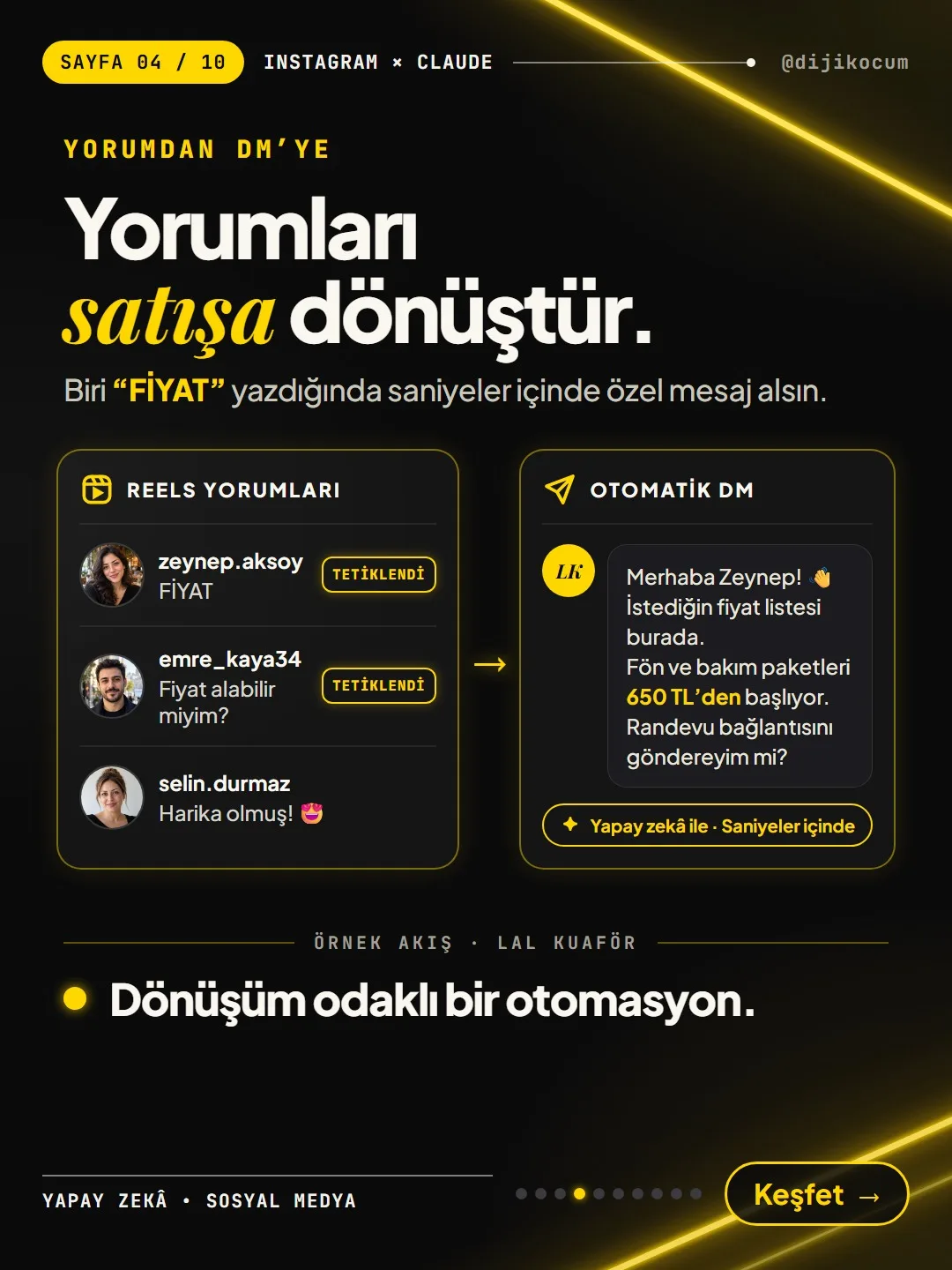
The sample flow in the carousel (Lal Hair Salon, fictional): when someone comments the price keyword or "Can I get a price?" on a Reel, the rule fires, while nothing goes to the person who wrote "Looks amazing! 😍".
Here's how we set it up: On our own account we send the DM with a 1-minute delay and the public reply with a 2-minute delay; in the DM we don't give the information itself but a button that leads to the guide. Some people see the DM not in their inbox but in the "message requests" folder; if someone says "I didn't get the DM," tell them to look there first.
Don't go live without testing: After setting up the rule, comment the trigger keyword on your post from another account and check whether the DM arrives.
Below is the DM sent to people who triggered the rule in the carousel example. When you copy it, replace the name, service and price with your own business's (the sample price is converted at the TCMB rate of November 5, 2026: $1 = ₺50.05):
Hi Zeynep! 👋 Here's the price list you asked for. Blow-dry and hair care packages start at about $13 (₺650). Shall I send you the booking link?Route 1 · Connect Claude to the tool: DM assistant and scheduled posting.
- 05For the Claude connection, check whether the tool has API or MCP support (look for an "API", "MCP" or "integrations" section on the tool's help pages). If it does, connect it to Claude; let Claude draft the reply texts, the carousel copy and the caption, and let the tool send them. This support varies from tool to tool; don't assume every tool offers it.
Once the connection is set up, the two examples in the carousel become possible:
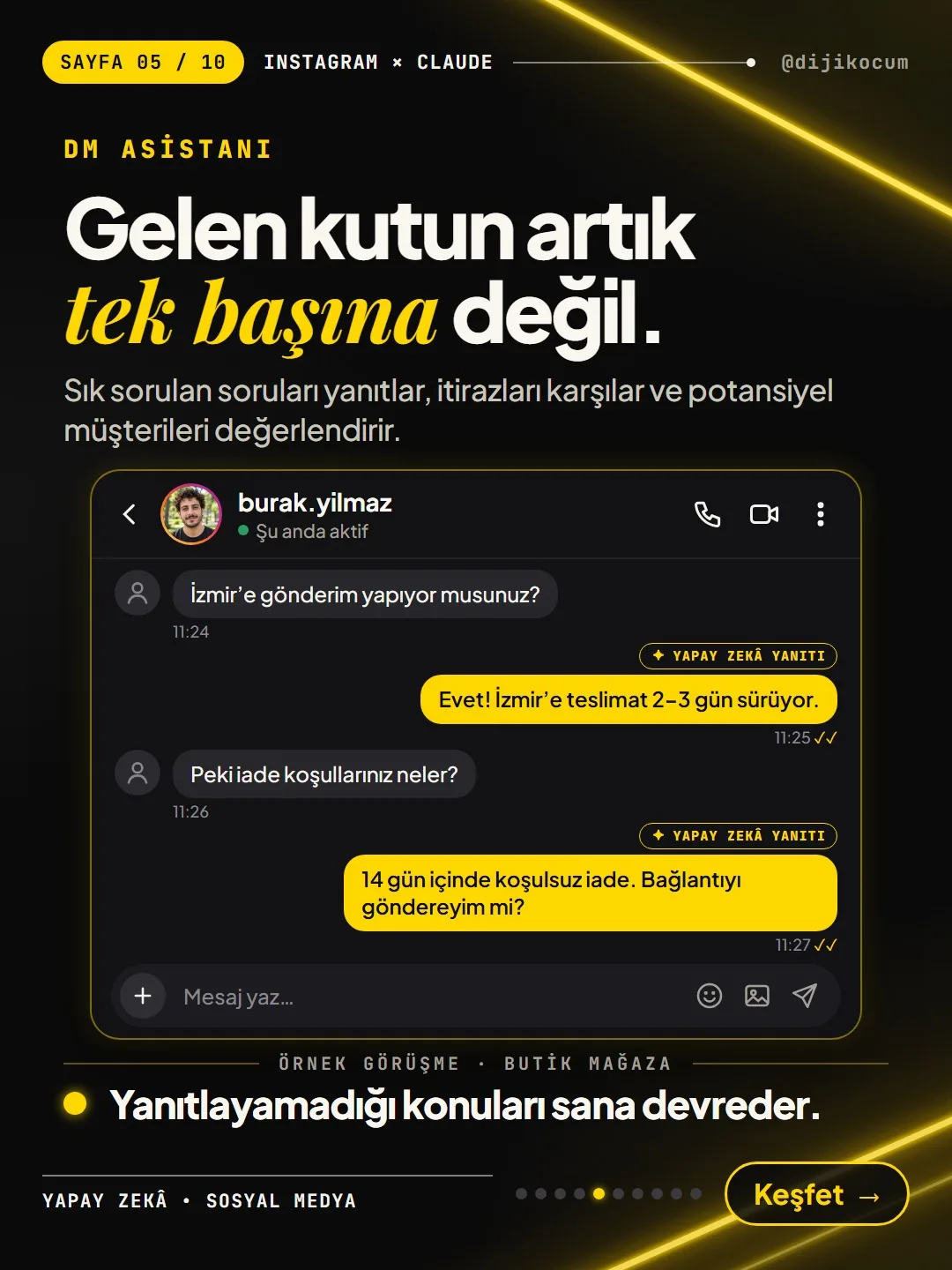
- DM assistant (example: a boutique): It answers "Do you ship to Izmir?" with "Yes! Delivery to Izmir takes 2–3 days." and "What's your return policy?" with "No-questions-asked returns within 14 days. Shall I send you the link?". These answers come from the information you provide; you write your delivery time and return rule. It hands topics it can't answer over to you.
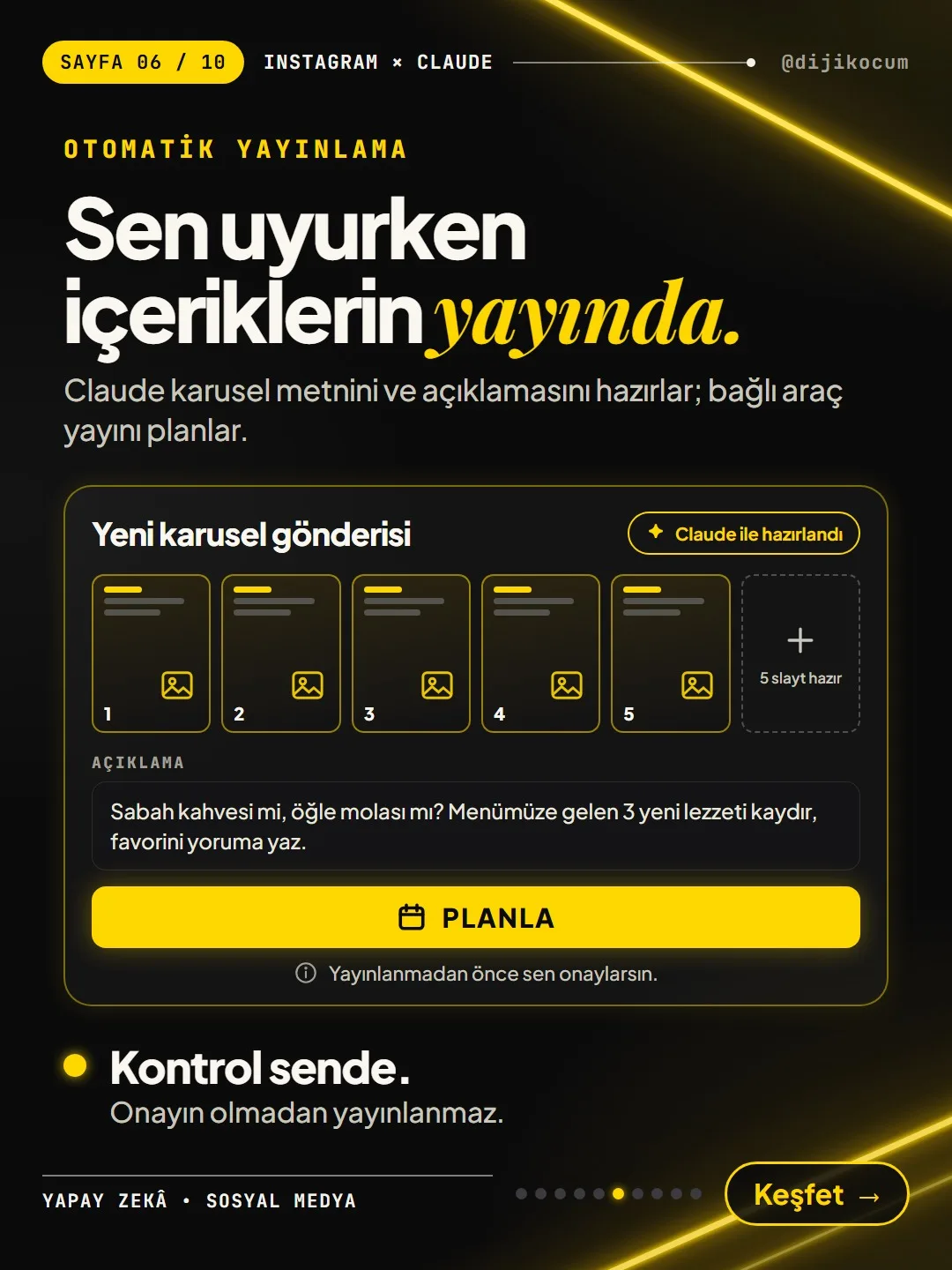
- Automatic publishing (example: a cafe): Claude drafts the copy and caption for a 5-slide carousel ("Morning coffee or lunch break? Swipe through the 3 new flavors on our menu and comment your favorite."), and the connected tool schedules the post. You stay in control: nothing is published without your approval.
If you got an API key, paste it only into the relevant settings field of the tool or of Claude; don't put it in a chat, an email or a screenshot.
Route 2 · Create your Meta app and request permissions.
- 01Create a Meta app at developers.facebook.com and add the "Instagram" product (Instagram Login).
- 02Request the permissions you need. The first three are for comments and messages, the last one is for publishing:
The App Secret you see in the app dashboard and the access token you'll get later are the keys to your account: don't share them with anyone, don't write them into code or a public file, and don't show them in a screenshot. If you think they've leaked, regenerate them from the dashboard.
instagram_business_basic instagram_business_manage_comments instagram_business_manage_messages instagram_business_content_publishRoute 2 · Your own account or a client's account?
- 03If you're setting it up only for your own account, you can test the app in development mode.
If you'll serve other people's accounts (e.g., your clients, as an agency), you need to pass Meta App Review and business verification (Advanced Access). This review is in Meta's hands; you can't know in advance how long it will take, so plan accordingly.
Route 2 · Set up the webhook and the n8n / Make workflow.
- 04Set up a webhook: send comment and message events to n8n or Make. (A webhook is Meta notifying your workflow when there's a new comment or message on Instagram.)
- 05Build the workflow in n8n / Make: event comes in → have Claude (Anthropic API or MCP) write the text → reply through the official API.
The skeleton of the workflow is below. Put your Anthropic API key and your Meta token in n8n / Make's credentials field; don't write them as plain text inside the workflow steps, so the keys don't go along when you share the workflow with someone else.
Instagram (comment / message event) → Webhook → n8n or Make → Claude (Anthropic API or MCP): write the reply text → Instagram official API: reply to the comment / messageRoute 2 · Publishing and analysis: nothing goes out without approval.
- 06For publishing: Claude drafts the text, the workflow creates a draft, and it's published once you approve it.
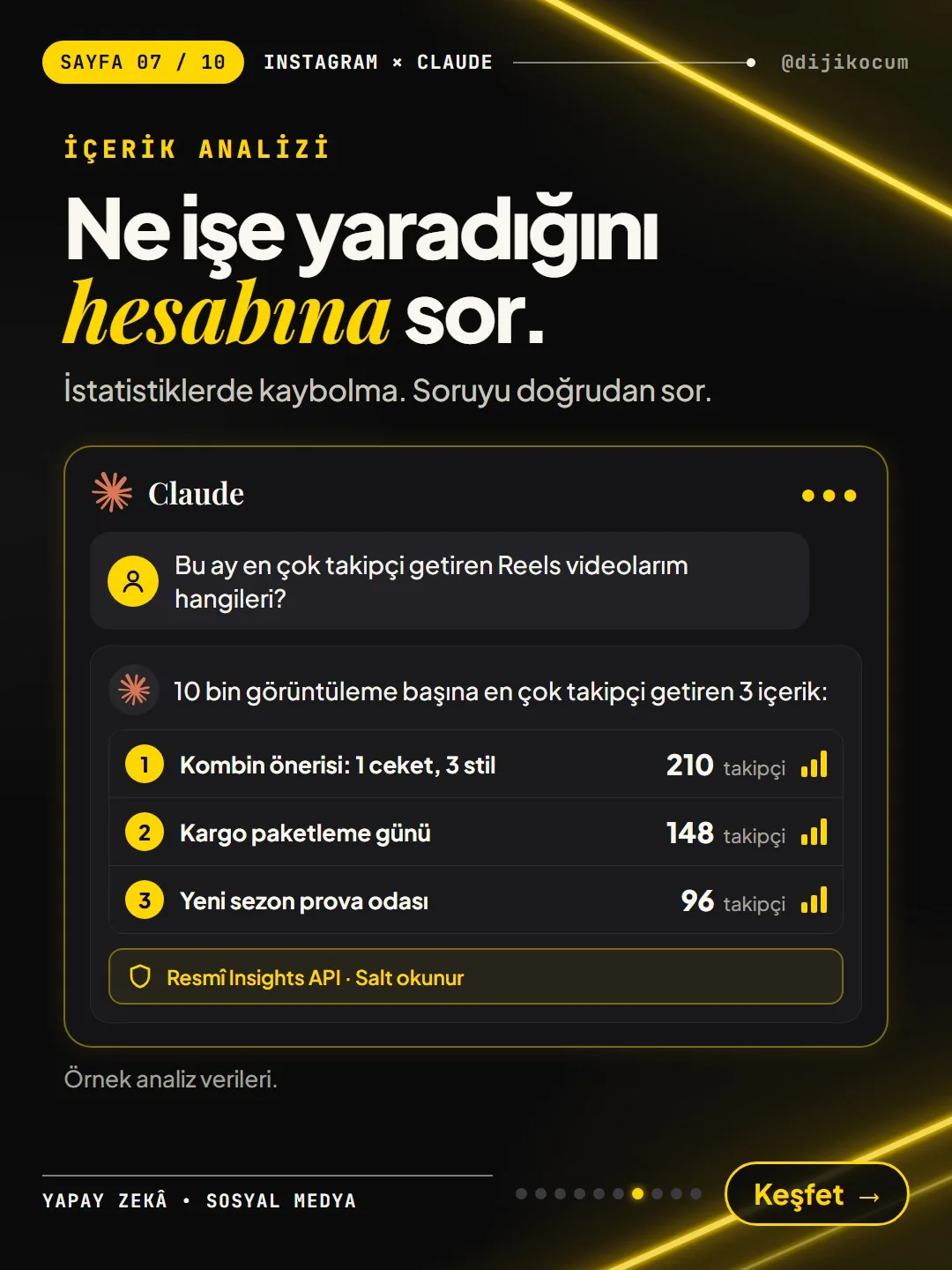
For analysis, you use the official Insights API in read-only mode: you ask your account "Which of my Reels brought in the most followers this month?" and Claude reads the stats and answers. In the carousel example (a boutique, sample data) the answer was a list of the "3 pieces of content that brought in the most followers per 10K views": "Outfit idea: 1 jacket, 3 styles" 210, "Shipping packing day" 148, "New season fitting room" 96 followers. On your account, the numbers come from your own data.
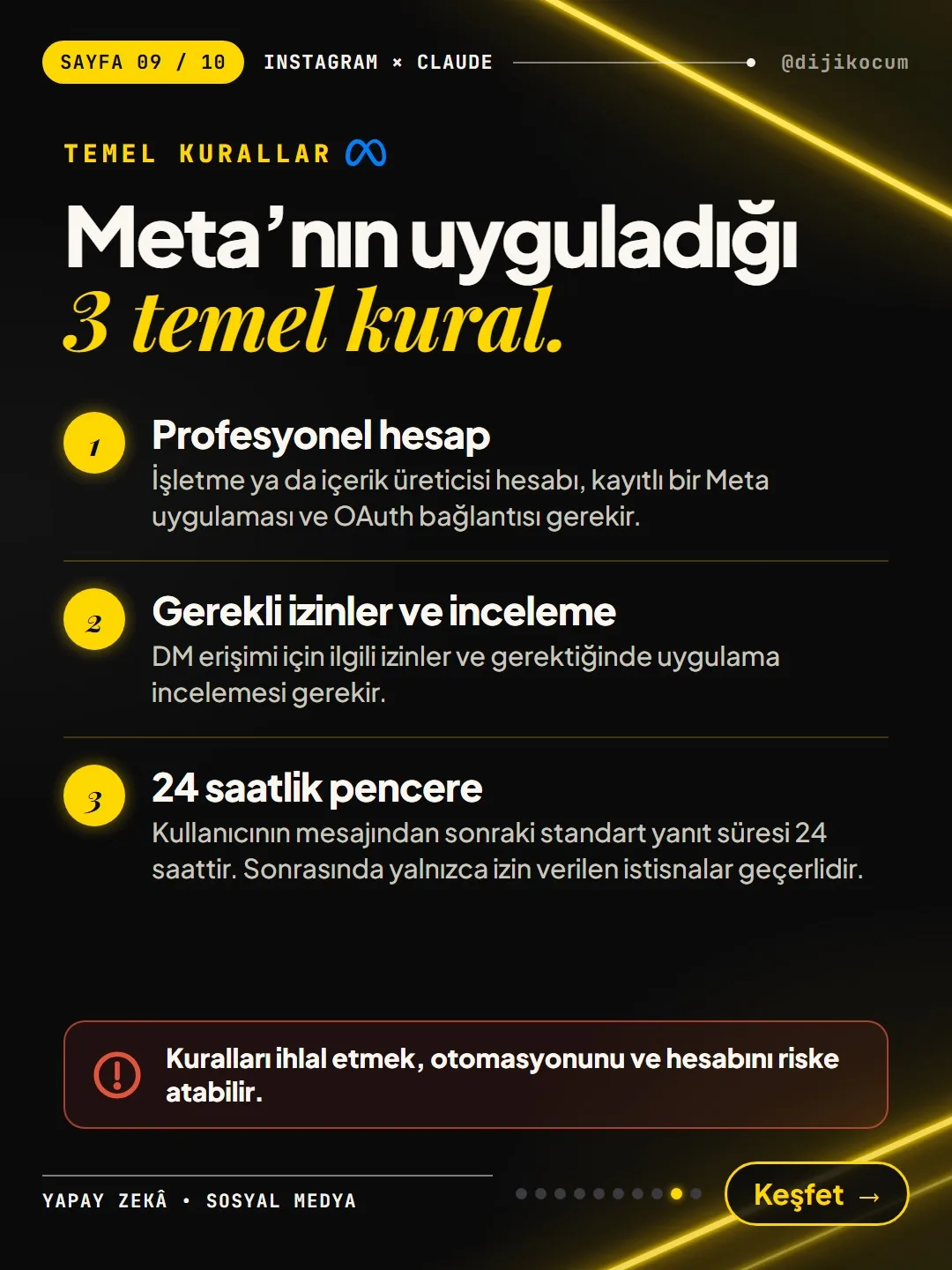
Know Meta's 3 core rules.
- 01Professional account: You need a Business or Creator account, a registered Meta app and an OAuth connection. (If you use a ready-made tool, the tool has already registered the app; you only grant permission on the consent screen.)
- 02Required permissions and review: DM access requires the relevant permissions and, when needed, app review.
- 0324-hour window: The standard response window after a user's message is 24 hours. After that, only the permitted exceptions apply: with the human agent tag, only a real person can reply manually for up to 7 days; automated messages can't use this tag.
Breaking the rules can put your automation and your account at risk.
Tell the official route apart from risky methods.
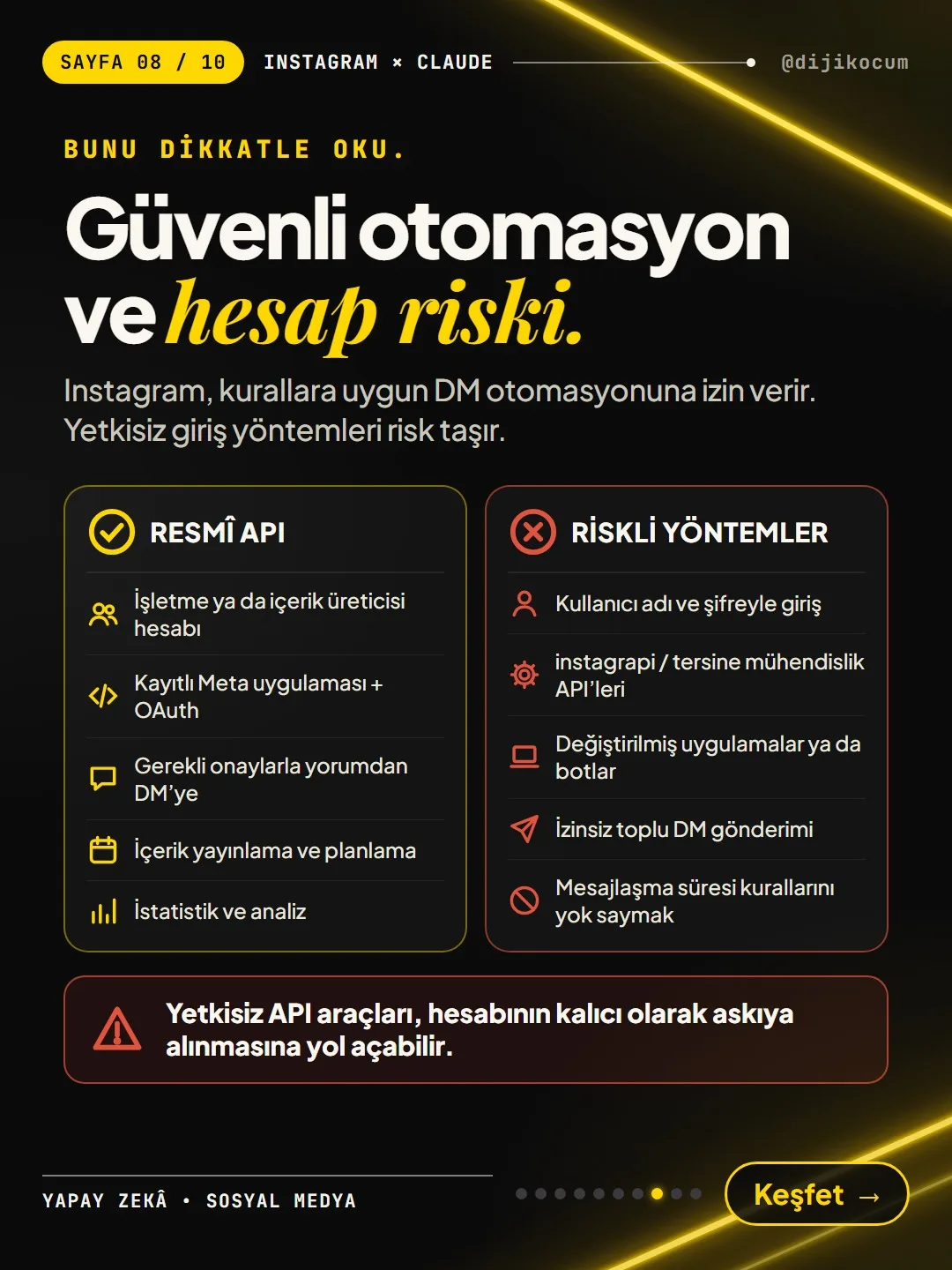
Instagram allows DM automation that follows the rules. Unauthorized login methods carry risk.
Official API ✓
- Business or Creator account
- Registered Meta app + OAuth
- Comment-to-DM with the required approvals
- Content publishing and scheduling
- Insights and analysisRisky methods ✗
- Logging in with username and password
- instagrapi / reverse-engineered APIs
- Modified apps or bots
- Unsolicited bulk DMs
- Ignoring messaging window rulesUnauthorized API tools can get your account permanently suspended.
Security checklist (before setup and during the first week).
Copy the list, paste it into your notes app and check items off one by one as you set things up:
☐ Professional account (Business or Creator) ☐ Connect only through Meta's official consent screen (OAuth); a tool that asks for your password = no ☐ Don't use instagrapi, reverse-engineered APIs, modified apps or bots ☐ No unsolicited bulk DMs; reply only to people who message you or comment ☐ 24-hour rule: the standard response window is 24 hours after the person's last message. With the human agent tag, only a real person can reply manually for up to 7 days; automated messages can't use this tag. ☐ Topics the AI doesn't know (price changes, complaints, return exceptions) get handed over to you ☐ Read the replies every day during the first week; fix any rule that gives a wrong answer ☐ Don't share your app keys with anyone; remove connections you don't use under Settings > Apps and websitesUndo or pause the connection.
If you've changed your mind or no longer use a tool:
- In Instagram, go to Settings > Apps and websites and remove the connection you don't use. That ends the tool's access to your account.
- If you used a ready-made tool, also turn off or delete the comment-to-DM rules in the tool's dashboard.
- On Route 2, turn off the n8n / Make workflow; if you won't use it again, regenerate your keys in the Meta app dashboard.
If a tool logged into your account with your password (the unofficial route), change your Instagram password right away.
Adapt it to your industry: sample use cases.
The carousel had hair salon, boutique and cafe examples. Here's how you can build the same structure for other businesses (all examples; fill them in with your own information):
- Dental clinic: Whoever comments "RANDEVU" (appointment) on a post gets the booking link and opening hours by DM. Topics like treatment prices or complaints don't stay with the assistant; they're handed over to you.
- Real estate office: Whoever comments the info keyword on a listing Reel gets the listing's square footage, neighborhood and how to get in touch for a viewing; the assistant answers frequent questions like "how many rooms?" or "is there a maintenance fee?" from the listing information you provide.
- Online course / instructor: Whoever comments "PROGRAM" gets the class schedule and the sign-up page. Claude drafts the copy for the weekly announcement carousel, and the tool publishes it once you approve.
- Gym: Whoever comments "DENEME" (trial) gets information about a free trial class; at the end of the month you ask "which Reel brought in the most followers?" and plan next month's content accordingly.
The replies the AI writes aren't word-for-word identical every time; it may answer the same question in slightly different sentences. That's why reading the incoming replies every day during the first week is on the list.
How to measure it
Compare the week before setup with the first week after: the number of comments with the trigger keyword, the number of DMs sent, bookings / orders / link clicks after the DM, and the time to first reply. During the first week, note every reply that goes wrong and fix the rule or the assistant's information.
Sources
- AMeta: Instagram Platform overview (professional account, permissions, App Review)Primary source · checked: October 29, 2026
- AMeta: Instagram messaging overviewPrimary source · checked: October 29, 2026
- BChatwoot: the Human Agent tag on InstagramIndustry research · checked: October 29, 2026
- BSetSmart: Instagram Messaging API guideIndustry research · checked: October 29, 2026
- DDijiKoçum comment-to-DM setup (Zernio, September–October 2026)Our own data · checked: October 29, 2026
[A] primary source · [B] industry research · [C] practitioner · [D] our own data
Frequently asked questions
Does it work with my personal account?
No. The official API works only with a professional account (Business or Creator). You can switch in a few minutes under Settings > Account type and tools > Switch to professional account.
A tool is asking for my Instagram password. Should I give it?
No. On the official route, the connection is made through Meta's own consent screen (OAuth); the password is never typed into the tool. Tools that ask for your password, reverse-engineering methods like instagrapi, and bots can get your account suspended.
I don't know how to code. Which route should I choose?
Route 1, the ready-made integration. You set up your rules in the tool's dashboard and don't write any code. Route 2 (Meta app + n8n / Make) is more technical; consider it when you want full control or when you'll manage many accounts as an agency.
Can an automated reply go out to a message that arrived a day ago?
The standard response window is 24 hours after the person's last message. After that, with the human agent tag, only a real person can reply manually for up to 7 days; automated messages can't use this tag.
Can I set it up on my clients' accounts too?
With ready-made tools, this depends on the tool's own plan and rules; each account grants permission on its own consent screen. If you'll serve other people's accounts with your own Meta app (Route 2), you need to pass App Review and business verification (Advanced Access).
What happens if the AI writes something wrong?
That's why you set it up to hand over topics it doesn't know (price changes, complaints, return exceptions) to you, and you read the replies every day during the first week. Fix the rule or information behind a wrong answer right away; and on the publishing side, nothing should go out without your approval.
Next step
Let’s look at your site together.
Free Digital Checkup: a health score for your website, your ads and your visibility in AI search, plus what to fix first. 3 minutes.
More guides
How-To Guide
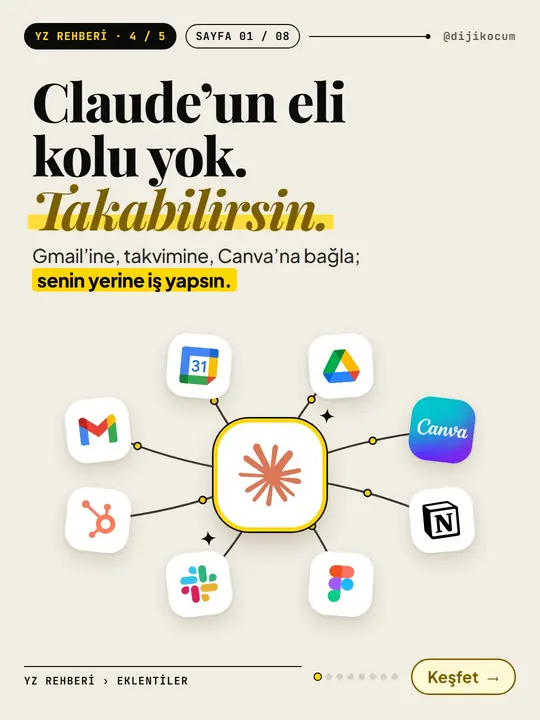
How to Connect Claude to Gmail, Google Calendar, Drive and Canva: Safe Connector Setup, Step by Step
12 steps · 7 min
How-To Guide
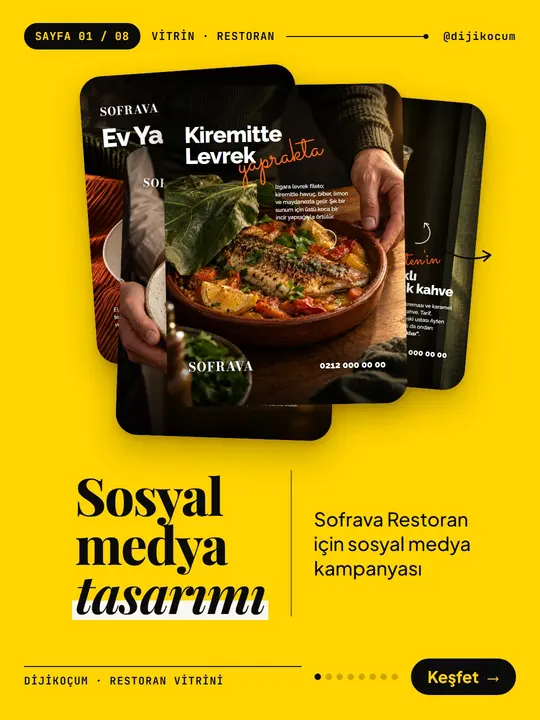
Make your restaurant's Instagram look like a menu: a 6-post feed template and shot list
9 steps · 6 min
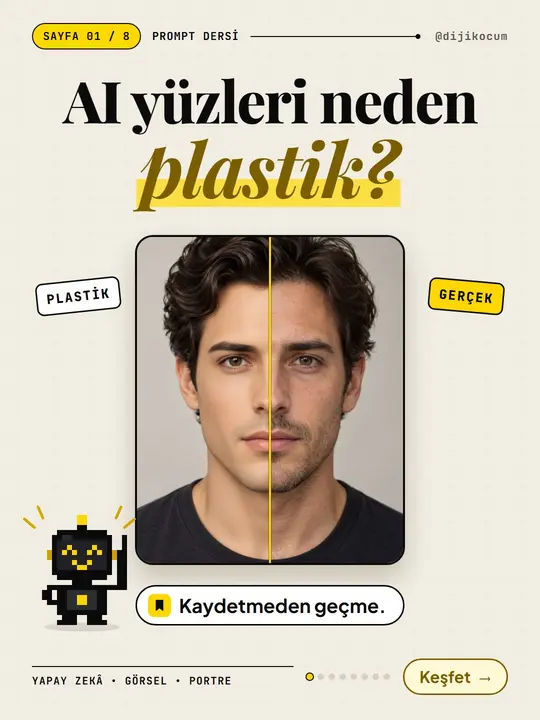
How-To Guide
Why Do AI Faces Look Plastic? A 10-Term Realistic Portrait Glossary and a Ready-Made Prompt Template
15 steps · 7 min