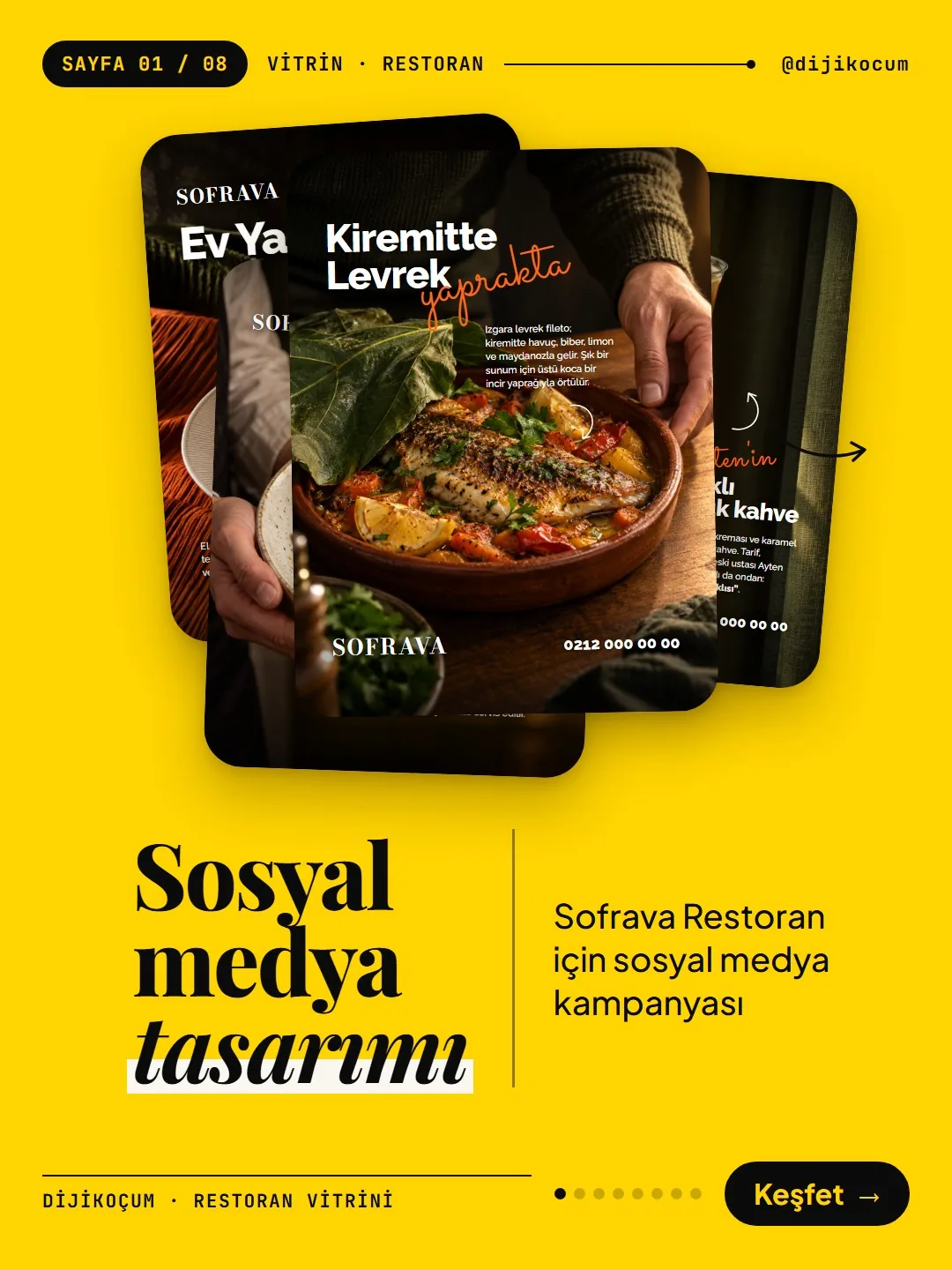
Visuals in Turkish · the full text is on this page
How-To Guide · Social Media
Make your restaurant's Instagram look like a menu: a 6-post feed template and shot list
Not expensive gear; the same light, the same colors, the same layout. Shoot with your phone, build it in Canva and turn your profile into a menu with six posts.
Short answer
A restaurant's Instagram profile reads like a menu when six posts are built on the same framework: a dark food photo lit from a single source, a large dish name, a one-word handwritten accent, a short description line, and a logo and number in the corner. This page has the 6-post template, a shot list for shooting with your phone and the Canva steps. If you don't have photos, there's also an AI prompt and a description line formula.
9 steps · 6 min read · · Turan Yasin Salcı
Step by step · 9 steps
0/9 checked · saved in this browser only
The idea: 6 posts, one framework.
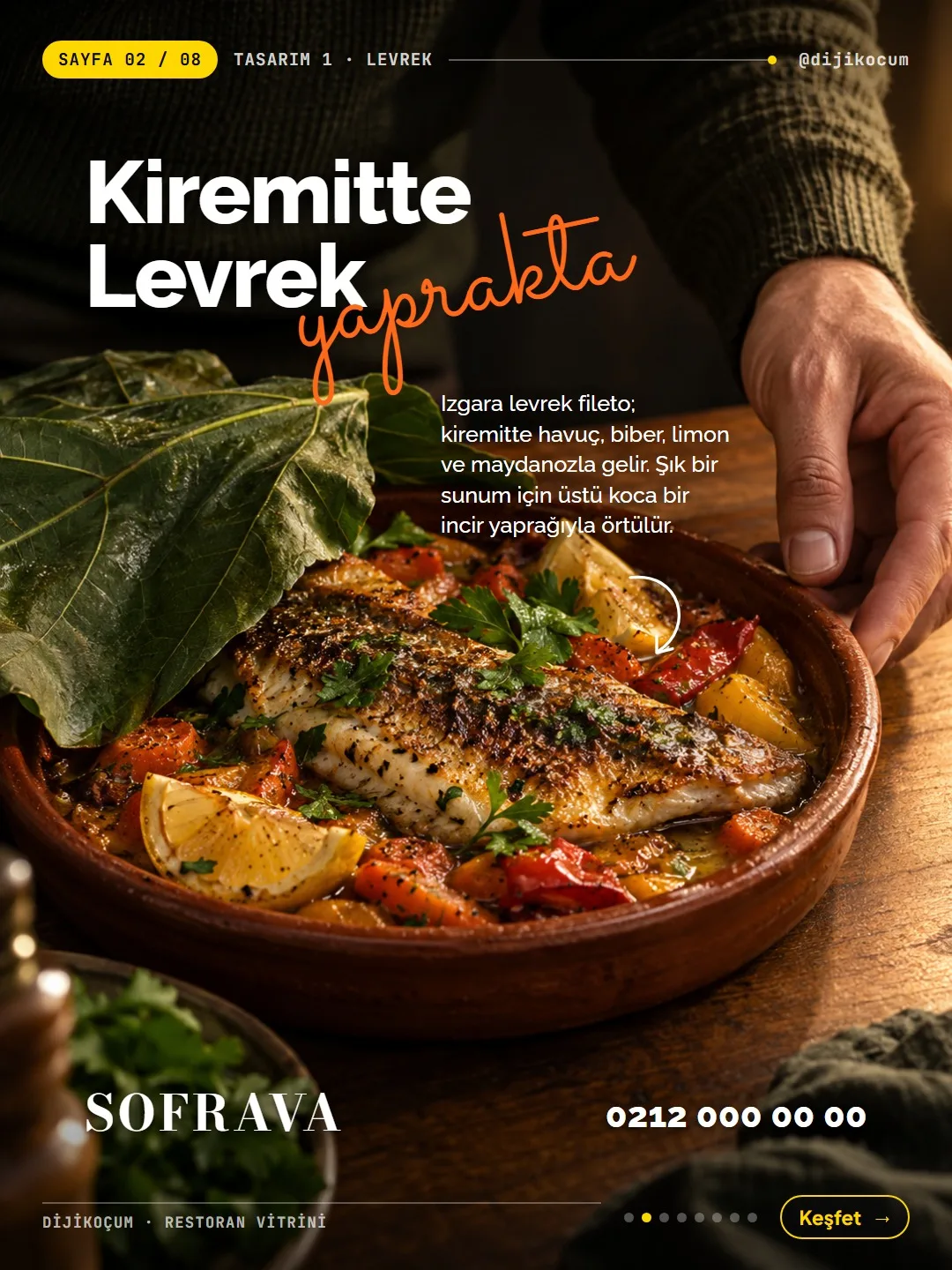
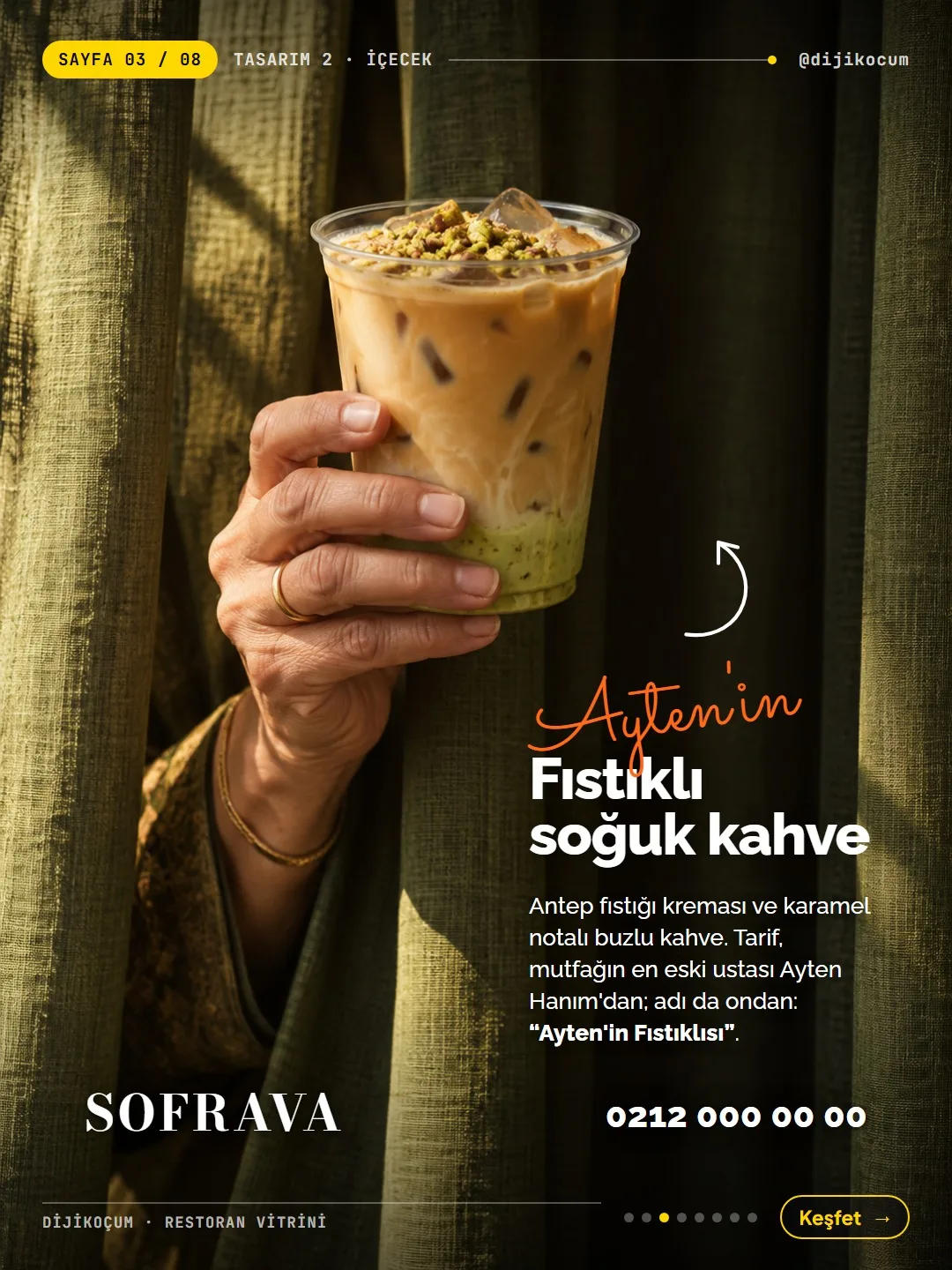
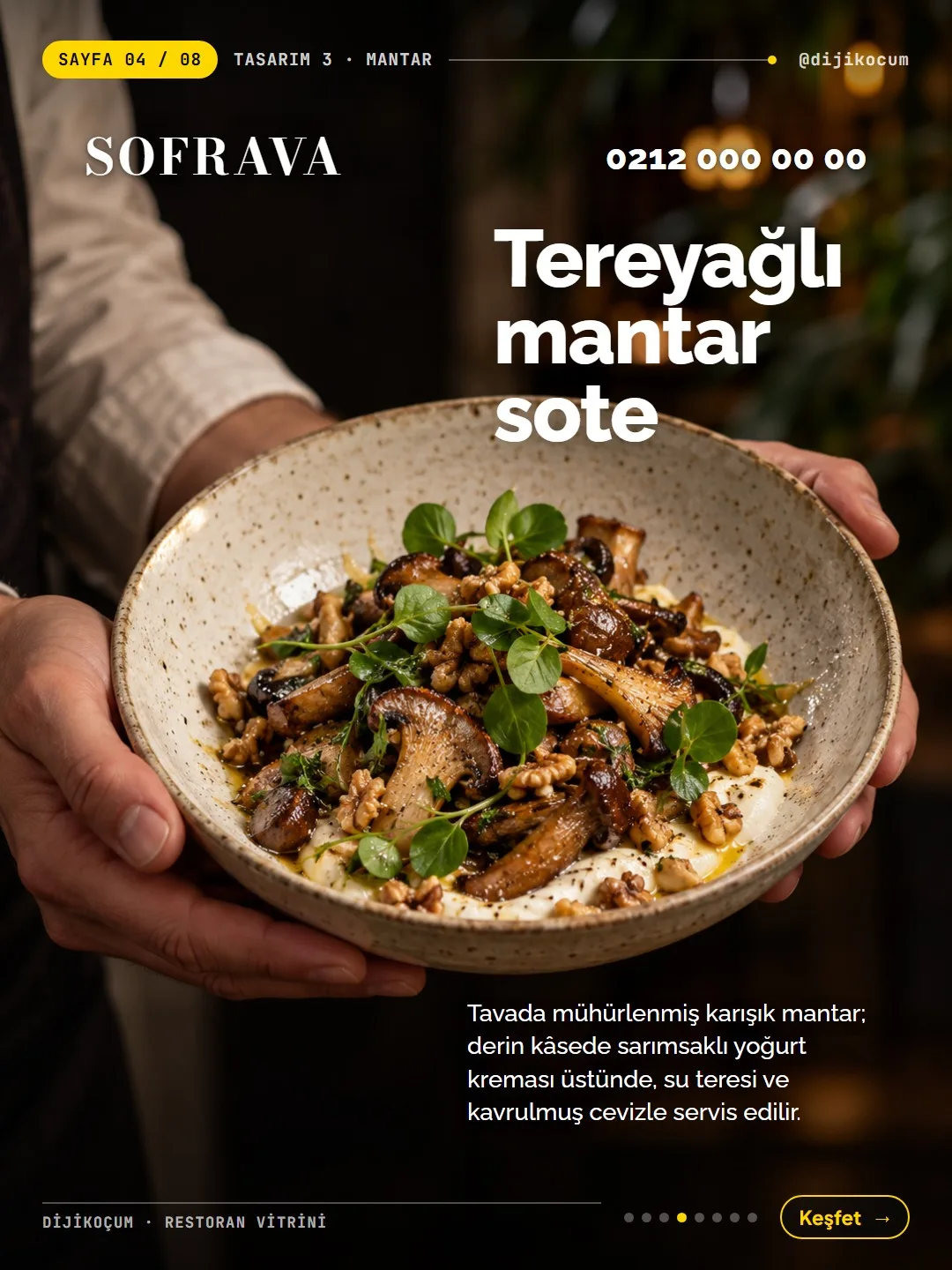
The carousel shows a 6-post campaign for a restaurant called Sofrava, which we made up as an example: a dark, cinematic food photo, a hand holding or serving the dish, a large dish name, a one-word handwritten accent and a short description line. A logo and an order number in the corner.
The secret isn't expensive gear; it's the same light, the same colors, the same layout. When the six posts sit side by side on your profile, they read like a menu. On this page you'll find the template, the shot list for shooting with your phone, the Canva steps, an AI prompt if you don't have photos, and a ready-made description line formula.
The same framework in every post.
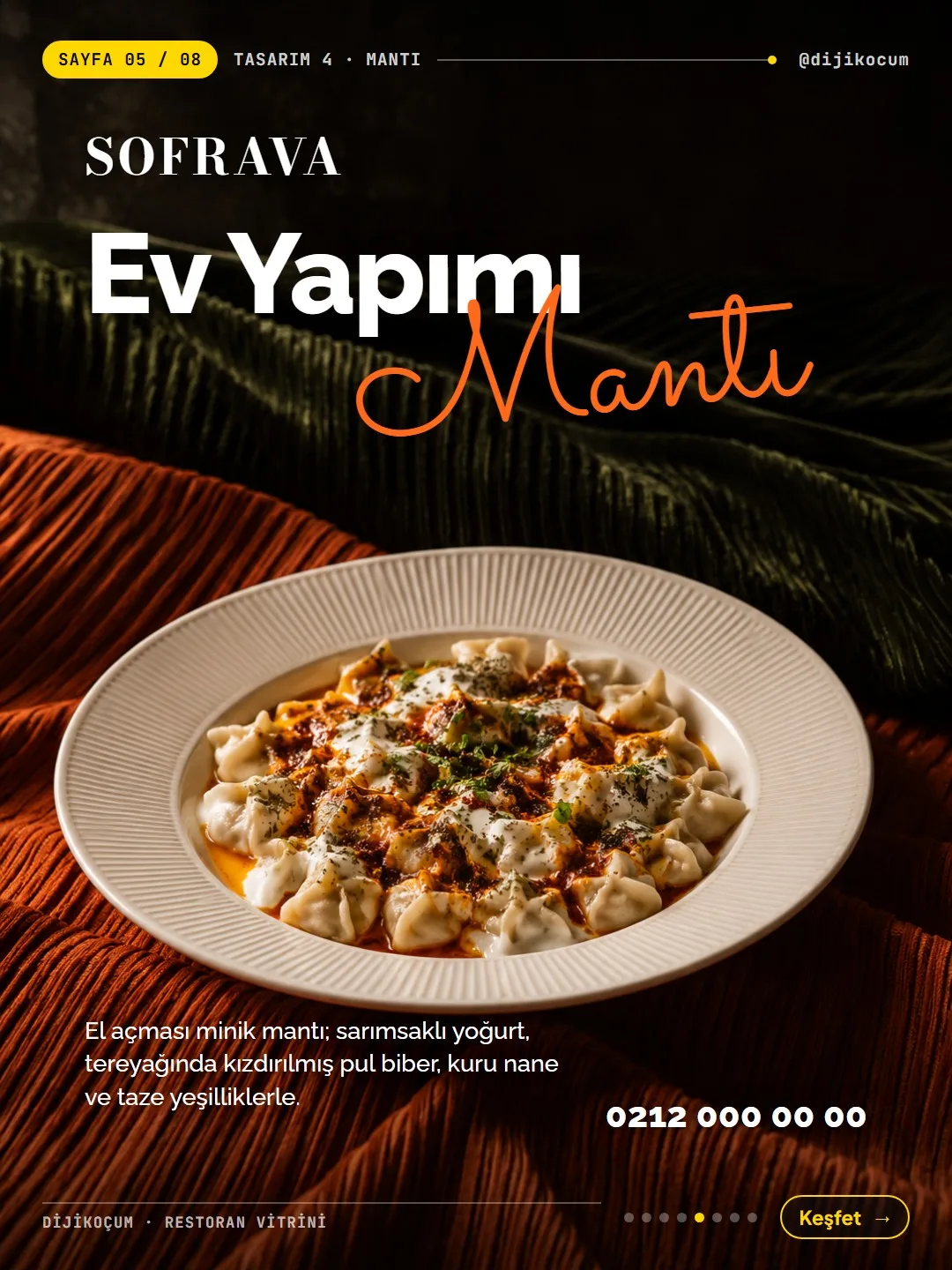
All six posts are made of these parts:
- Background: a full-page, dark food photo lit from a single source (4:5 or 3:4).
- Headline: the name of the dish, bold white type ('Raleway ExtraBold' or 'Montserrat ExtraBold' in Canva), 90–120 pt.
- Accent: a single word in handwritten script, orange (#FF6A1A) ('Sacramento' or 'Allura' in Canva), overlapping the headline at a slight angle.
- Description line: 1–2 lines, white, 26–30 pt; what's in it and how it was cooked.
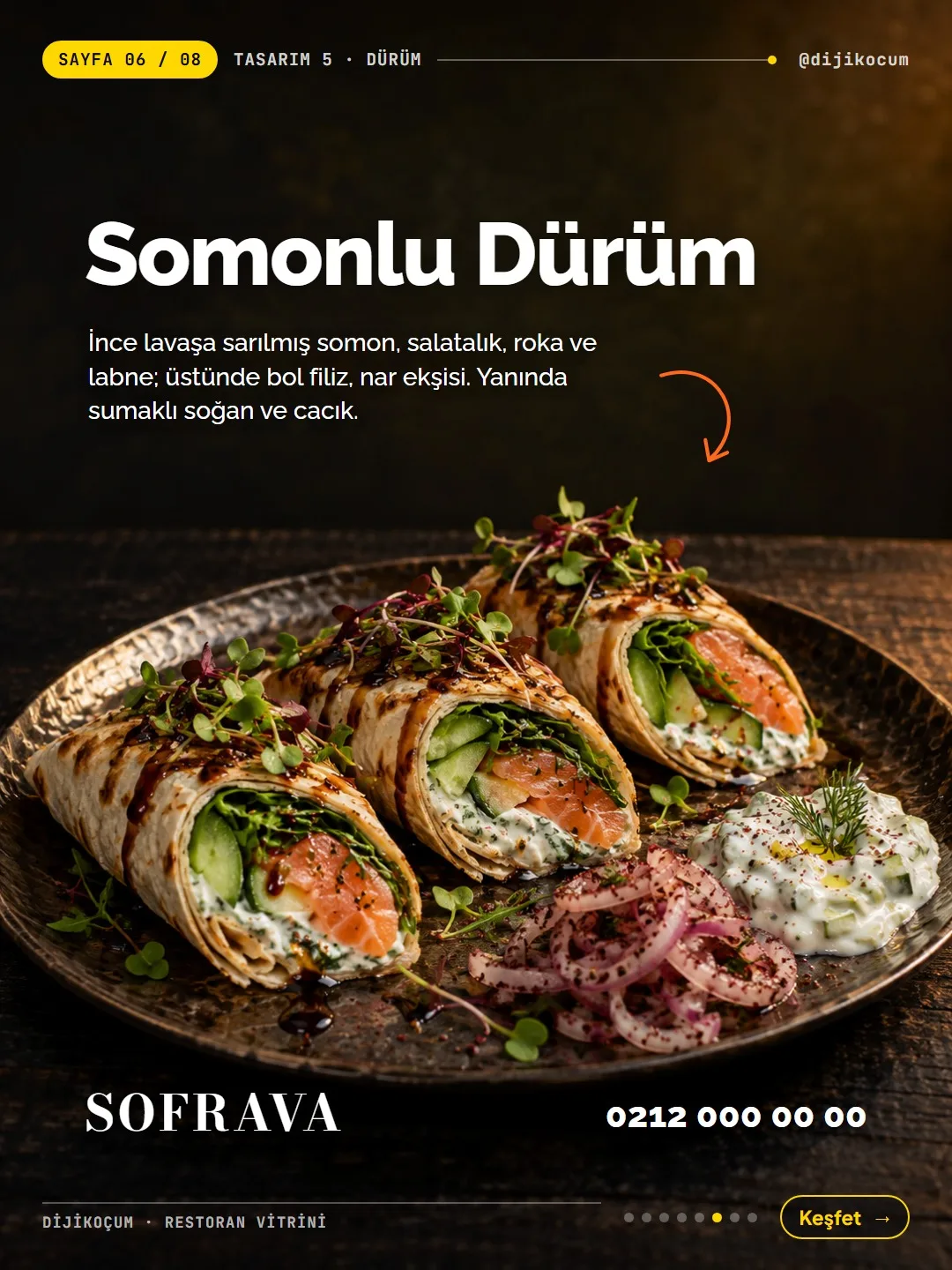
- Curved arrow: from the description line to the plate.
- Corners: your logo in one corner, your order/reservation number in the opposite corner. Same position in every post.
Arrange the posts in this order.
The six designs in the carousel follow this order:
- 01Signature dish, a hand serving it (in the carousel, sea bass on a terracotta tile)
- 02Drink, a glass held in the hand (pistachio iced coffee)
- 03Warm starter, a bowl held with both hands (buttery sautéed mushrooms)
- 04Homemade item, with a large handwritten accent (homemade manti, Turkish dumplings)
- 05Light dish, a description with an arrow (salmon wrap)
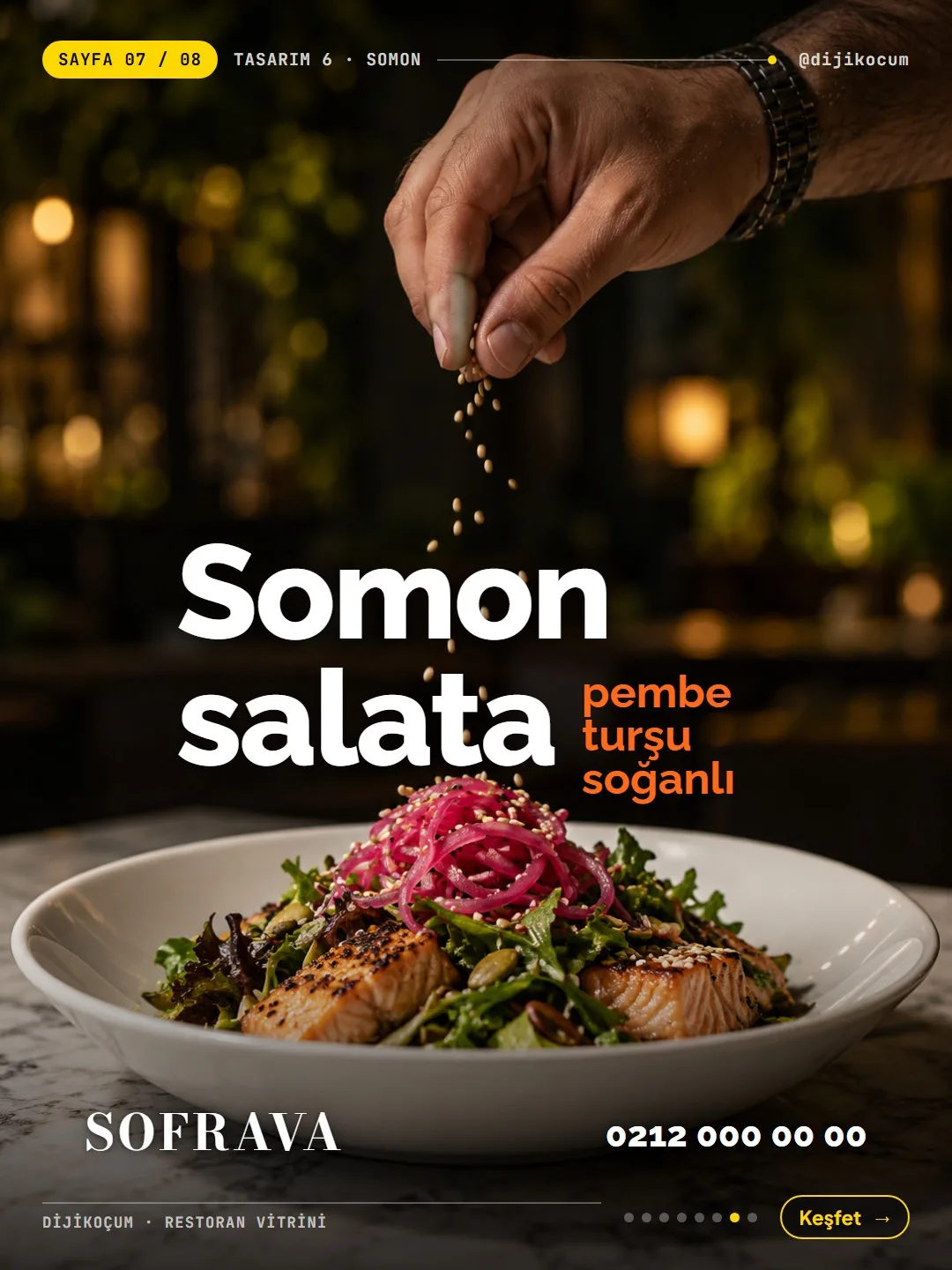
- 06Salad/dessert, a hand sprinkling spices (salmon salad with pink pickled onions)
Pick dishes from your own menu that fit these six roles.
Shoot the photo with your phone: light, background, angle.
You don't need a professional camera; a phone is enough.
- Light: a single window, from the side. Turn off the ceiling lights and leave the opposite side dark.
- Background: dark wood, marble, or a dark green/orange fabric; a green plant or a curtain behind.
- Angle: for a plate, slightly above table level (15–30°); for a glass or bowl, in the hand, at chest height.
- Hands: clean and simple; one ring or bracelet is enough. Keep faces out of the frame.
Take 3 shots of each dish, then give them all the same edit.
- 3 shots of each dish: a hand serving it, held with both hands, and with spice/sauce being poured. To freeze the motion, use a 1/500 shutter speed or your phone's burst mode (on most phones, holding down the shutter button shoots a burst).
- Leave space: keep some empty space above or beside the subject; that's where the text will go.
- After the shoot: contrast +10, shadows −15, warmth +5, greens slightly darker. You can make these adjustments in the edit section of your phone's gallery app. Apply the same edit to all six photos; that's what makes your profile look like a single whole.
Build the first post in Canva, then duplicate it to 6.
- 01Go to canva.com, then Create a design → Custom size → 1080×1350 (Instagram portrait).
- 02Upload your photo (Uploads on the left) and fit it to the full page.
- 03Add a 40% black rectangle with a soft fade at the top and bottom so the text stays readable. In Elements, search for "gradient" and pick a shape that fades from black to transparent.
- 04Place the headline, the handwritten accent, the description line, the curved arrow, your logo and your number using the sizes in step 2.
- 05Use Duplicate in the menu above the page to get to 6 pages. Change only the photo and the text; keep the layout, colors and fonts the same.
In Canva, fonts or elements marked with a crown belong to the paid (Pro) version; if you're on the free version, pick a similar free option.
No photos? Use an AI prompt.
Paste the prompt below into an empty chat in ChatGPT (chatgpt.com, New chat) or Gemini. Fill in the square brackets before you send it:
- [DISH NAME and ingredients] → the dish and what's in it (the rest of the prompt is in English, so writing this in English avoids confusion; e.g.
homemade manti with garlic yogurt and chili butter) - [plate/bowl] → whichever it's served in
- [serving / holding / sprinkling spices] → keep one: a hand serving, holding or sprinkling spices
The image appears in the same chat; click it to download. The same prompt produces a different image in a similar style each time.
Always check the hand in the generated image (5 fingers). If it doesn't look like the real dish on your menu, don't use it; if customers see something different on the plate, trust is lost.
Real editorial food photography, dark moody low-key light from one side, [DISH NAME and ingredients] on a [plate/bowl], a natural human hand [serving / holding / sprinkling spices], green linen fabric and leaves in the dark background, shallow depth of field, film grain, no text, no logos, 4:5 portrait, empty dark space at the top for a title.- [DISH NAME and ingredients] → the dish and what's in it (the rest of the prompt is in English, so writing this in English avoids confusion; e.g.
A ready-made description line formula.
Write the 1–2 line description in each post with this formula. Fill in the square brackets for your own dish.
Example: "Grilled sea bass fillet; served on a terracotta tile with carrots, peppers and lemon. Topped with a large fig leaf."
[Cooking method] [main ingredient]; served in a [dish] with [2–3 sides]. [One-sentence feeling: elegant presentation / home-cooked taste / the chef's recipe].Example uses: for other businesses.
The same framework works not just for restaurants but for any business whose product or service is on display. Change the roles to fit your business:
- Café: signature drink (a glass held in the hand), hot drink (a cup held with both hands), homemade cake (large handwritten accent), sandwich (description with an arrow), seasonal drink, dessert (a hand sprinkling cinnamon on top). Description line: "Double espresso and hot milk; served in a thick cup with cinnamon."
- Bakery: one cake or cookie in each post; the accent is a single word like "Fresh" or "Today's".
- Hair salon: instead of food, the photo shows the result of the service (cut, color); the headline is the name of the service, and the description line is "what was done, how long it took". If the client's face will be visible, get their permission first.
- E-commerce: one product in each post, held in the hand or in use; the description line is "what it's made of, who it's for". In the corner, your web address instead of a logo and order number.
If you get stuck, send us a DM. If you like, choose 6 dishes from your menu and we'll build the first post together.
How to measure it
Before sharing the six posts with this framework, take a screenshot of your profile; take another one after sharing and put the two side by side: does the profile read as a single whole? For a month, compare the saves, shares and profile visits of these posts with your previous food posts; also note the order and reservation questions that come in by phone or DM.
Sources
- DDijiKoçum restaurant Instagram feed kit (template, shot list, Canva steps)Our own data · checked: October 29, 2026
[A] primary source · [B] industry research · [C] practitioner · [D] our own data
Frequently asked questions
Can I shoot the photos with my phone?
Yes. The real work is in the light: a single window, light from the side, ceiling lights off. Take three shots of each dish and apply the same edit to all six photos.
Is the free version of Canva enough?
You can start building this template with the free version. If a font or element you pick is marked with a crown, it belongs to the paid (Pro) version; pick a similar free option.
Is it OK to generate food photos with AI?
If you don't have photos, you can generate them with the prompt on this page, but always check the hand (5 fingers) and the dish. If it doesn't look like the real dish on your menu, don't use it; if customers see something different on the plate, trust is lost.
Why should all six posts have the same layout?
When they appear side by side on your profile, the same light, colors and layout make them read as a single whole. Keeping the logo and number in the same corner of every post also makes your brand recognizable.
Is Sofrava a real restaurant?
No, it's an example restaurant we made up to show the designs in the carousel; the phone number is a placeholder too. You build the same layout with your own name, logo and number.
Does it work for a café or bakery too?
Yes. Change the six roles to fit your own products: signature drink, hot drink, homemade item and so on. The framework stays the same.
Next step
Let’s look at your site together.
Free Digital Checkup: a health score for your website, your ads and your visibility in AI search, plus what to fix first. 3 minutes.
More guides
How-To Guide
How to connect Instagram to Claude: two safe ways to set up comment-to-DM, a DM assistant and scheduled posting (step by step)
15 steps · 11 min
How-To Guide
How to Connect Claude to Gmail, Google Calendar, Drive and Canva: Safe Connector Setup, Step by Step
12 steps · 7 min
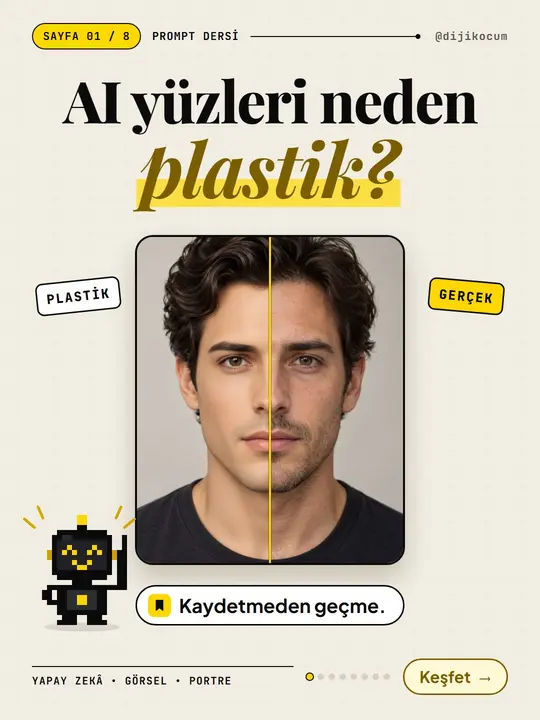
How-To Guide
Why Do AI Faces Look Plastic? A 10-Term Realistic Portrait Glossary and a Ready-Made Prompt Template
15 steps · 7 min