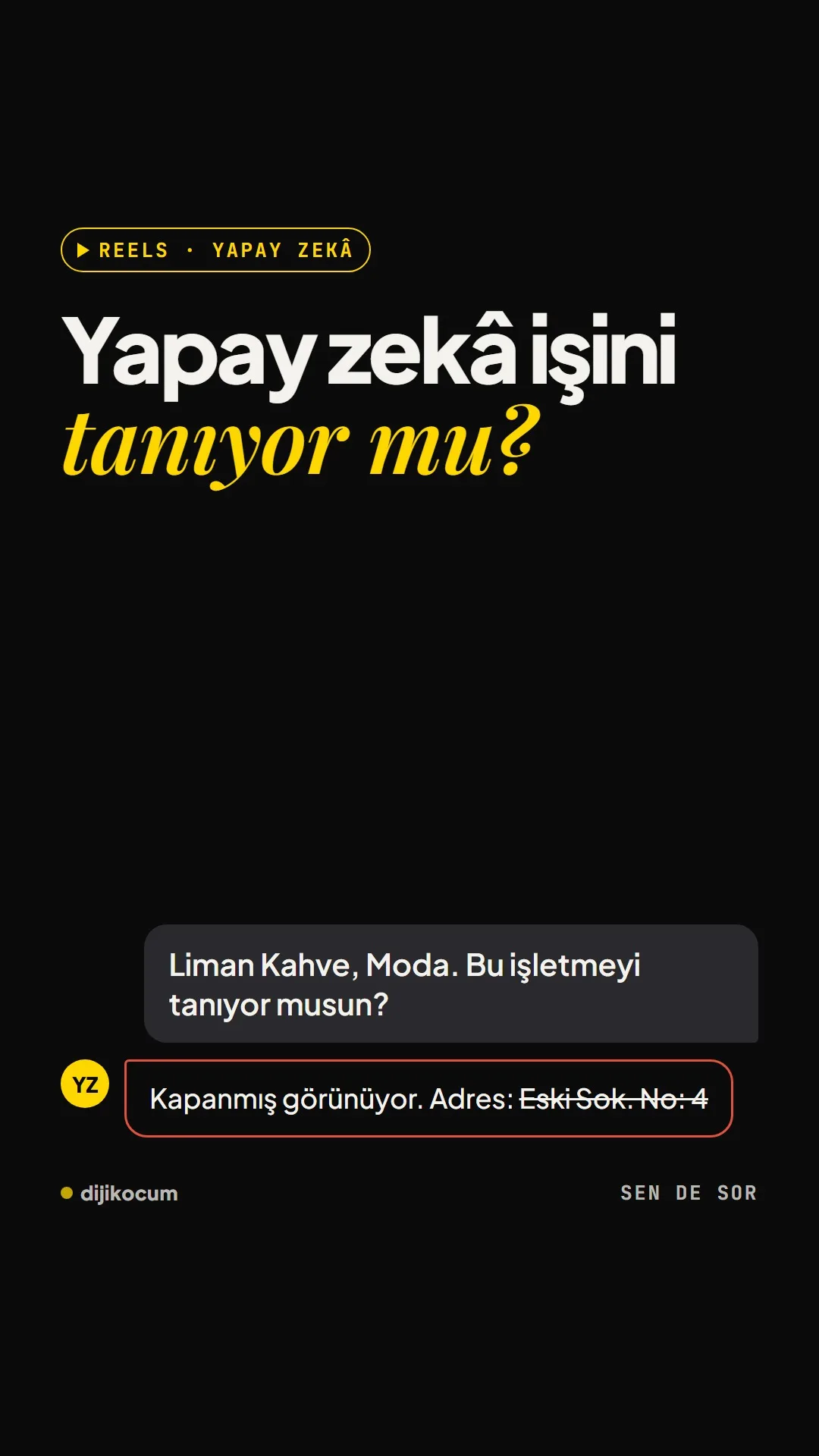
Visuals in Turkish · the full text is on this page
Solution Desk · GEO
Does AI Know Your Business? A Simple Test
When you ask ChatGPT about your business, it either doesn't know you, gets you wrong or gets you right; what really matters is whether you're on the list when a customer asks.
Short answer
Customers now ask AI assistants like ChatGPT, Claude, Gemini and Perplexity for business recommendations, not just Google. A simple test shows whether an assistant knows your business, whether it has wrong information (an old address, a “permanently closed” note) and whether you show up in the list for decision questions. Wrong or missing information is fixed through your Google Business Profile, a consistent name-address-phone, About and FAQ pages, and genuine reviews; no one can guarantee a place in an AI answer. DijiKoçum's PDF gives 10 questions to ask for 12 industries, plus the first steps.
5 steps · 2 min read · · Turan Yasin Salcı
Step by step · 5 steps
0/5 checked · saved in this browser only
Ask about your business.
Type your business name and city and ask, “Do you know this business?” If possible, try it while logged out or in a private window; otherwise the assistant recognizes you from your past chats and the test is skewed.
Ask your customer's question.
Write a decision question like “What's the best [business type] in [neighborhood]?”; that's what your customers are asking now. Note whether you're on the list, where you rank and which competitors come up.
Ask why you weren't recommended.
If you're not on the list, ask, “Why didn't you recommend me?” Save the source links under the answer; they often tell you where the wrong information comes from.
Record the result.
Ask ChatGPT, Claude, Gemini and Perplexity the same questions, screenshot each answer and keep a log:
DATE: [month/day/year] ASSISTANT: ChatGPT / Claude / Gemini / Perplexity / Google overview QUESTION NO: [1-10] RESULT: Doesn't know me / Knows me wrong / Knows me right AM I ON THE LIST: Yes, [what position] / No COMPETITORS MENTIONED: [name, name, name] WRONG INFORMATION: [old address, 'closed', wrong service] SOURCE LINKS: [if any]Fix what's wrong.
Update your name, address, phone, hours and services in your Google Business Profile; write your name, address and phone exactly the same, letter for letter, on your website, social media and directories. Write your About and frequently asked questions pages in plain sentences, and ask real customers for reviews.
How to measure it
Ask the same questions once a month, in the same order, and write them in your test log. Assistants pick up new information at different speeds; judge the change over months, not from a single try.
Free · PDF
Download the 10 Questions to Ask AI, by Industry (PDF).
A printable checklist version of the steps on this page. The PDF is in Turkish; no sign-up needed.
Download the checklist (PDF in Turkish)Sources
- DDijiKoçum AI visibility test guide (10 questions, 12 industries)Our own data · checked: October 4, 2026
[A] primary source · [B] industry research · [C] practitioner · [D] our own data
Frequently asked questions
Why does ChatGPT get my business wrong?
Usually there's an old or conflicting source online: an old address, a “closed” note or a mix-up with another business. Find the source link under the answer and fix that page, or ask its owner to correct it.
Can anyone guarantee I'll appear in an AI answer?
No. No one can put you in an AI answer for certain; be skeptical of anyone who promises that. What's in your hands is making sure accurate, up-to-date and consistent information about you exists online.
What is NAP?
Your business's Name, Address and Phone. These three need to be written exactly the same, letter for letter, on your website, social media and directories.
Next step
Let’s look at your site together.
Free Digital Checkup: a health score for your website, your ads and your visibility in AI search, plus what to fix first. 3 minutes.
More guides

Tools
How to transform product photos with ChatGPT Images 2.5: 20 ready-made image prompts (step by step)
26 steps · 14 min
Tools
5 Free Animation Skills for Claude Code: How to Install Three.js, GSAP, design-dna, LottieFiles and Genjutsu (Step by Step)
16 steps · 9 min

Tools
How to Use the Prompt Library and Prompt Builder: Copy a Ready-Made Prompt, Fill In the Blanks
9 steps · 7 min