
Visuals in Turkish · the full text is on this page
Tools · Social Media
How to use Claude Code for free: free-claude-code setup with NVIDIA, OpenRouter or Ollama, step by step
Claude Code works in the terminal exactly the same, but there's a free model behind it. One-command setup with an open-source tool that has more than 65,000 stars.
Short answer
free-claude-code (FCC) is a local tool that routes Claude Code's requests to a model of your choice instead of Anthropic. This guide covers the one-command setup, the Admin panel and three free options: DeepSeek, GLM and Nemotron with a free key from NVIDIA; OpenRouter's free models; and running everything on your own computer with Ollama. Limits and security notes are at the end.
10 steps · 5 min read · · Turan Yasin Salcı
Step by step · 10 steps
0/10 checked · saved in this browser only
What we'll do: Claude Code stays the same, and the model behind it becomes free.
free-claude-code (FCC for short) is an open-source tool on GitHub. It runs a small proxy server on your computer: Claude Code opens in the terminal as usual, but every request you type goes to a model of your choice instead of Anthropic. That model can come from a free provider (NVIDIA NIM, OpenRouter) or run entirely on your own computer (Ollama).
Two things you should know:
- You're not using a Claude model. The interface is Claude Code; the brain is another model (DeepSeek, GLM, Nemotron…). They do a good job on most everyday tasks, but they aren't as strong as Claude's best models; quality varies from task to task.
- Free quotas are limited. For example, NVIDIA's free key is limited to about 40 requests per minute. It may slow down on long, intensive tasks.
On November 2, 2026, the repo had more than 65,000 stars and was still being updated frequently. The steps below are based on the repo's own installation instructions, explained for beginners.
Install: one command for Windows.
3–5 min- 01Type PowerShell in the Start menu and open it (you don't need to run it as administrator).
- 02Copy the command below, paste it into PowerShell and press Enter.
- 03The installer asks which coding tool you'll use: choose Claude Code (you can add others such as Codex or Cline if you like).
- 04"Token saving" options such as RTK / Headroom are optional; if you're not sure, skip them.
The command downloads and runs the repo's official install script. As with any script that runs commands on your computer, copy it only from this official address.
& ([scriptblock]::Create((irm "https://raw.githubusercontent.com/Alishahryar1/free-claude-code/main/scripts/install.ps1")))If you use Mac or Linux, use this command.
3–5 minOpen the Terminal app, paste the command and press Enter. The questions are the same as on Windows: choose Claude Code.
curl -fsSL "https://raw.githubusercontent.com/Alishahryar1/free-claude-code/main/scripts/install.sh" | shOpen the Free Claude Code app: the Admin panel appears.
- Windows / Mac: Free Claude Code appears on your desktop or in the Start / Applications menu; open it. From the icon next to the clock (system tray / menu bar), you can open Admin, restart it or close it.
- Linux: Type
fcc-serverin the terminal; this terminal must stay open.
Once it opens, the Admin panel appears in your browser. On the left there are sections such as Providers and Model Config. In the next steps, we'll add a key and choose a model here.
Option 1 (recommended): get a free key from NVIDIA.
2 min- 01Go to build.nvidia.com/settings/api-keys and sign in with your NVIDIA account (create one for free if you don't have one).
- 02Click Generate API Key, give the key a name (e.g. "fcc"), choose the expiration and click Generate Key.
- 03In the window that opens, the key is shown only once: copy it with Copy API Key and note it down somewhere safe.
The video below shows exactly this step on our account (key blurred). Our separate guide to NVIDIA's free models: NVIDIA 100+ free models.
Add the key in Admin and choose the model.
- 01In the Admin panel, open Providers → NVIDIA NIM.
- 02Click Add key, paste the key you copied and click Save.
- 03In the Model Config section,
MODELdefaults to NVIDIA's Nemotron model; you can leave it that way. If you want to try DeepSeek or GLM, search for it in the dropdown and select it. - 04Click Apply at the bottom. If you don't, your choice isn't saved.
nvidia_nim/nvidia/nemotron-3-ultra-550b-a55bOption 2: free models with OpenRouter.
- 01Create a free key at openrouter.ai/keys.
- 02In Admin, add the key under Providers → OpenRouter and click Save.
- 03If you choose
open_router/openrouter/freeforMODEL, OpenRouter uses one of the models that are free at that moment. Models whose names end in:freeare also free.
Honest note: As of November 2, 2026, the free models on OpenRouter change frequently; DeepSeek, Kimi and GLM had no free versions there. To try these models for free, the NVIDIA option (Steps 5–6) is more reliable.
open_router/openrouter/freeOption 3: everything on your own computer with Ollama.
If you have a powerful graphics card (e.g. 16 GB+ of video memory), you can run the model on your own computer without going online at all; your code and data don't leave your machine.
- 01Download and install Ollama from ollama.com.
- 02Download a coding model in the terminal (example below; it's large, so choose one that suits your graphics card).
- 03In Admin, under Providers → Ollama, set the address to
http://localhost:11434, chooseollama/<model-name>asMODELand click Apply.
If your graphics card is weak, a local model will be very slow; in that case Option 1 is better.
ollama pull qwen3-coderStart Claude Code with FCC and switch models.
Open a new terminal and type the command below. Claude Code opens as usual, but now it runs on the free model you chose.
To switch models while working, type
/modelinside Claude Code: FCC's models appear in the list; select one with the arrow keys and press Enter. For your first try, give it a small task (such as "summarize the files in this folder") and check that an answer comes back.fcc-claudeLimits, security and troubleshooting.
- Don't share your key with anyone or show it in screenshots. If it leaks, delete it in the NVIDIA / OpenRouter dashboard and create a new one.
- FCC runs locally on your computer; your keys are stored in the Admin panel, in a settings file on your computer.
- It slowed down or threw an error: the free quota may be used up. Wait a few minutes or add a backup model in Admin with Fallback Models.
- The answers are weak: choose another model (
/model). For writing code, large models (DeepSeek, GLM) are usually better. - License: The repo is open source (AGPL-3.0). Personal use is fine; if you plan to modify the tool and offer it to others as a service, read the license.
If you want to remove it, just run the uninstall command in the repo's README.
How to measure it
For one week, do your small tasks (summarizing files, simple fixes, text editing) with FCC on a free model. Note how many results you could use as-is and how many you had to ask for again; see which model is good enough for your work.
Sources
- AAlishahryar1/free-claude-code (GitHub)Primary source · checked: November 2, 2026
- BNVIDIA build: API keysIndustry research · checked: November 2, 2026
- COpenRouter: API keysPractitioner · checked: November 2, 2026
- DOllamaOur own data · checked: November 2, 2026
[A] primary source · [B] industry research · [C] practitioner · [D] our own data
Frequently asked questions
Does this run on a Claude model?
No. The interface is Claude Code, but the answers come from another model you choose (DeepSeek, GLM, Nemotron, etc.). Claude's own models remain paid.
Is it really completely free?
With NVIDIA's and OpenRouter's free quotas, and locally with Ollama, yes; no paid subscription is required. The quotas are limited, and providers can change them.
Do I need to know how to code?
No. Setup is a single command, and settings are handled in the Admin panel in your browser.
Is it safe?
The tool is open source and runs locally on your computer. Still, get the install command only from the repo's official address and don't share your API key with anyone.
Which option should I choose?
If you're just starting out, NVIDIA (Option 1). If you don't want your data to leave your computer and you have a powerful graphics card, Ollama (Option 3).
Next step
Let’s look at your site together.
Free Digital Checkup: a health score for your website, your ads and your visibility in AI search, plus what to fix first. 3 minutes.
More guides

Tools
How to transform product photos with ChatGPT Images 2.5: 20 ready-made image prompts (step by step)
26 steps · 14 min
Tools
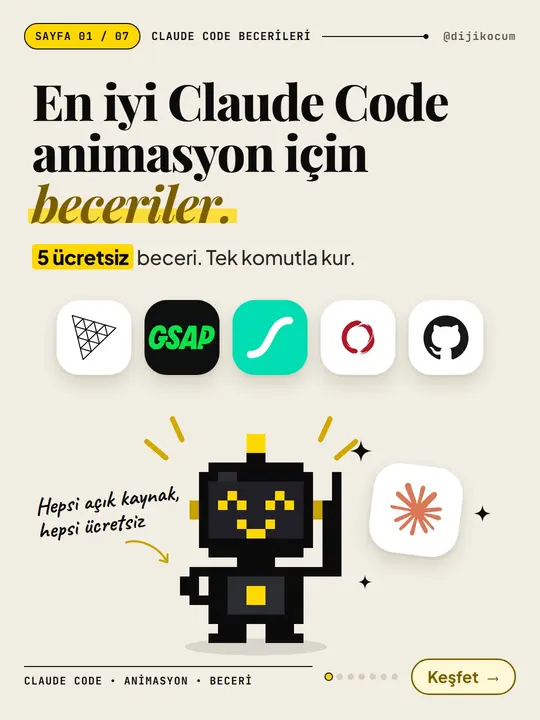
5 Free Animation Skills for Claude Code: How to Install Three.js, GSAP, design-dna, LottieFiles and Genjutsu (Step by Step)
16 steps · 9 min

Tools
How to Use the Prompt Library and Prompt Builder: Copy a Ready-Made Prompt, Fill In the Blanks
9 steps · 7 min