Visuals in Turkish · the full text is on this page
Solution Desk · GEO
Your Security Plugin Is Hiding You From AI.
If ChatGPT isn’t recommending you, the reason may not be your content. It may not be able to get into your site.
Short answer
Some security and SEO plugins, Cloudflare bot management or robots.txt rules can block AI crawlers; in that case your site is up, but ChatGPT and Perplexity cannot see the page. Checking the GPTBot, OAI-SearchBot, PerplexityBot and ClaudeBot rules in robots.txt and confirming with curl that you get a 200 response is a 10-minute check.
5 steps · 2 min read · · Turan Yasin Salcı
Step by step · 5 steps
0/5 checked · saved in this browser only
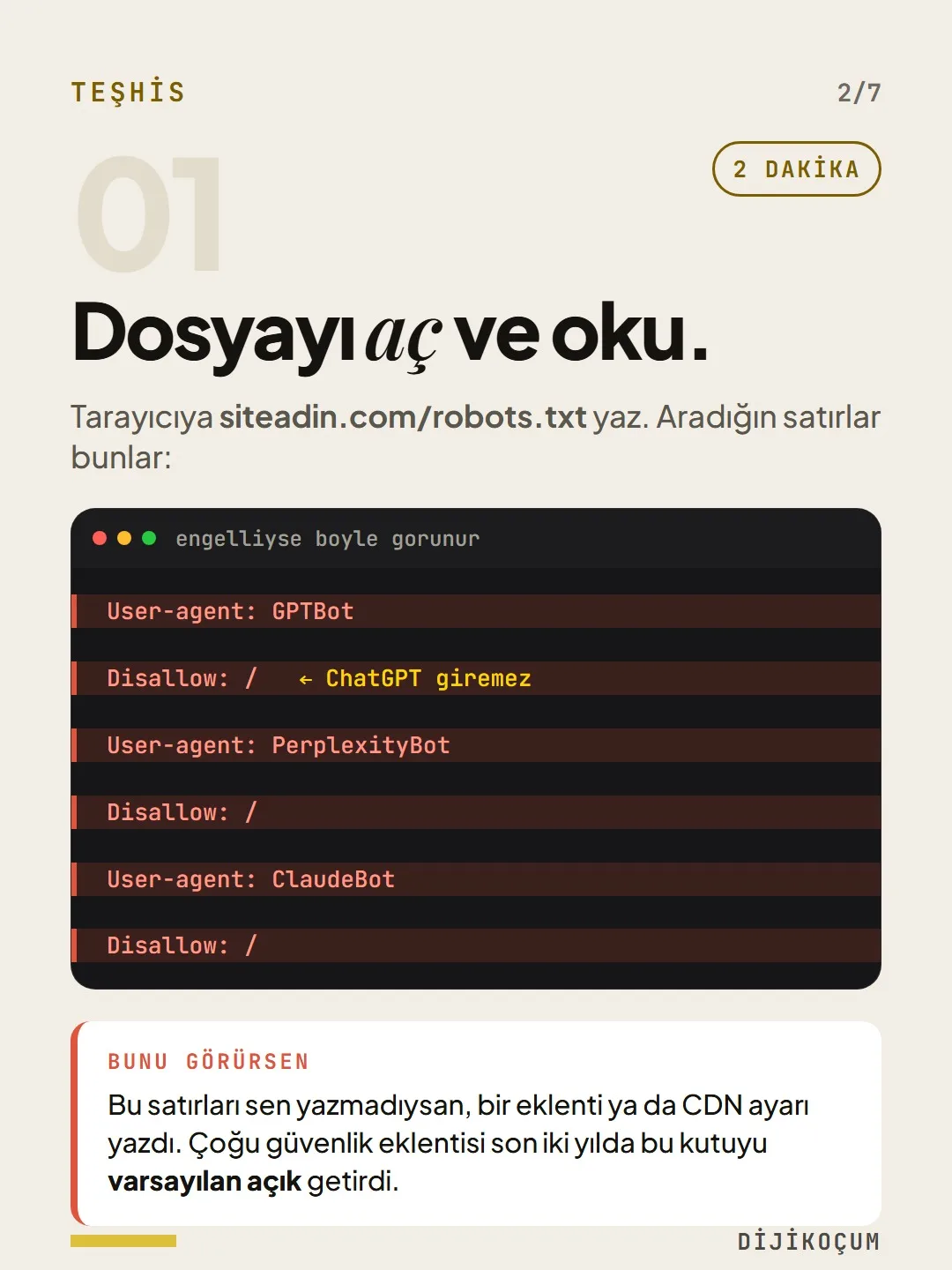
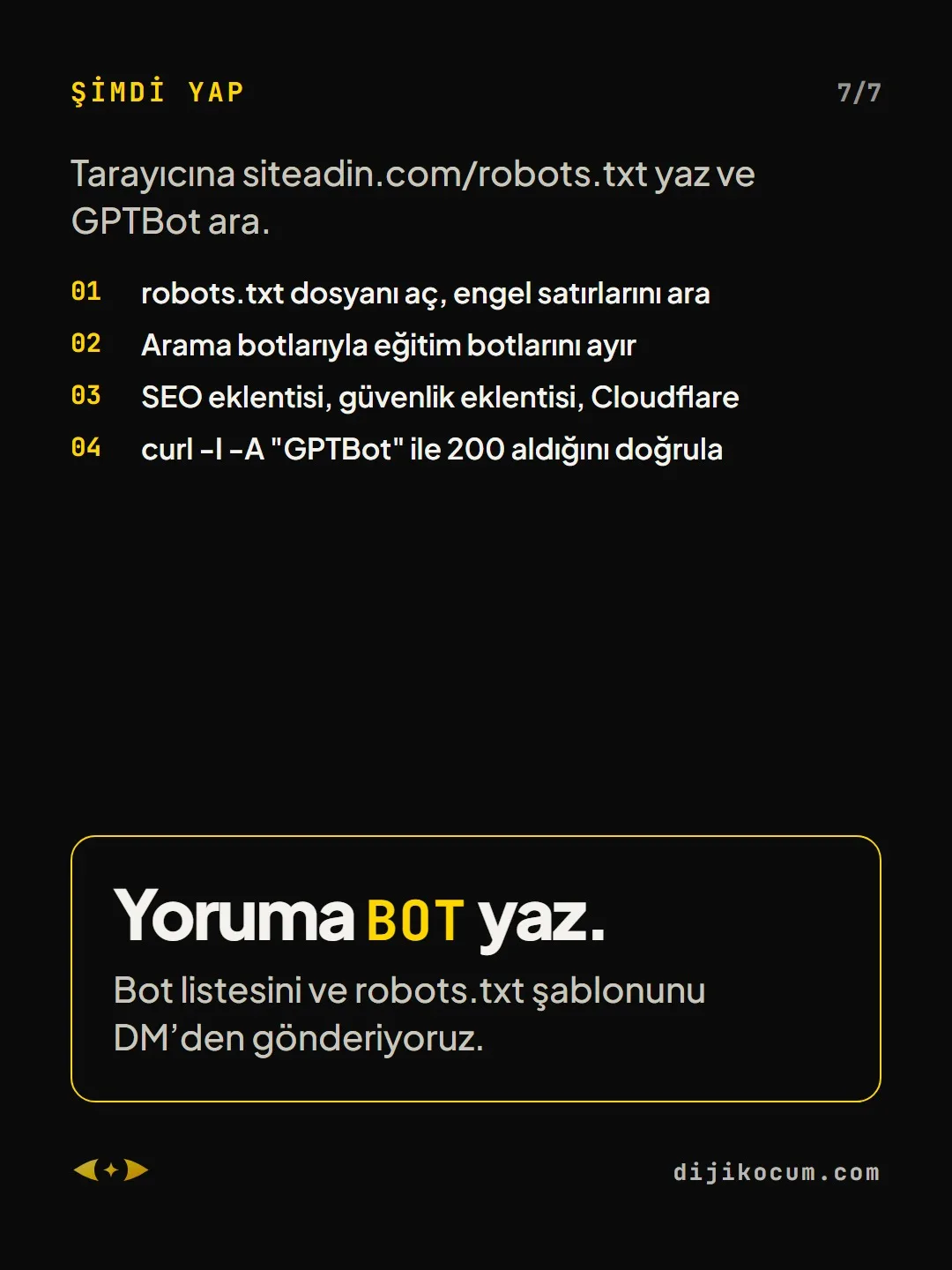
Open the file and read it.
2 MINUTESType yoursite.com/robots.txt into your browser. These are the lines you are looking for:
If you see this: If you didn’t write these lines, a plugin or a CDN setting did. Over the past two years, most security plugins have started shipping this box on by default.
User-agent: GPTBot Disallow: / User-agent: PerplexityBot Disallow: / User-agent: ClaudeBot Disallow: /Which bot does what?
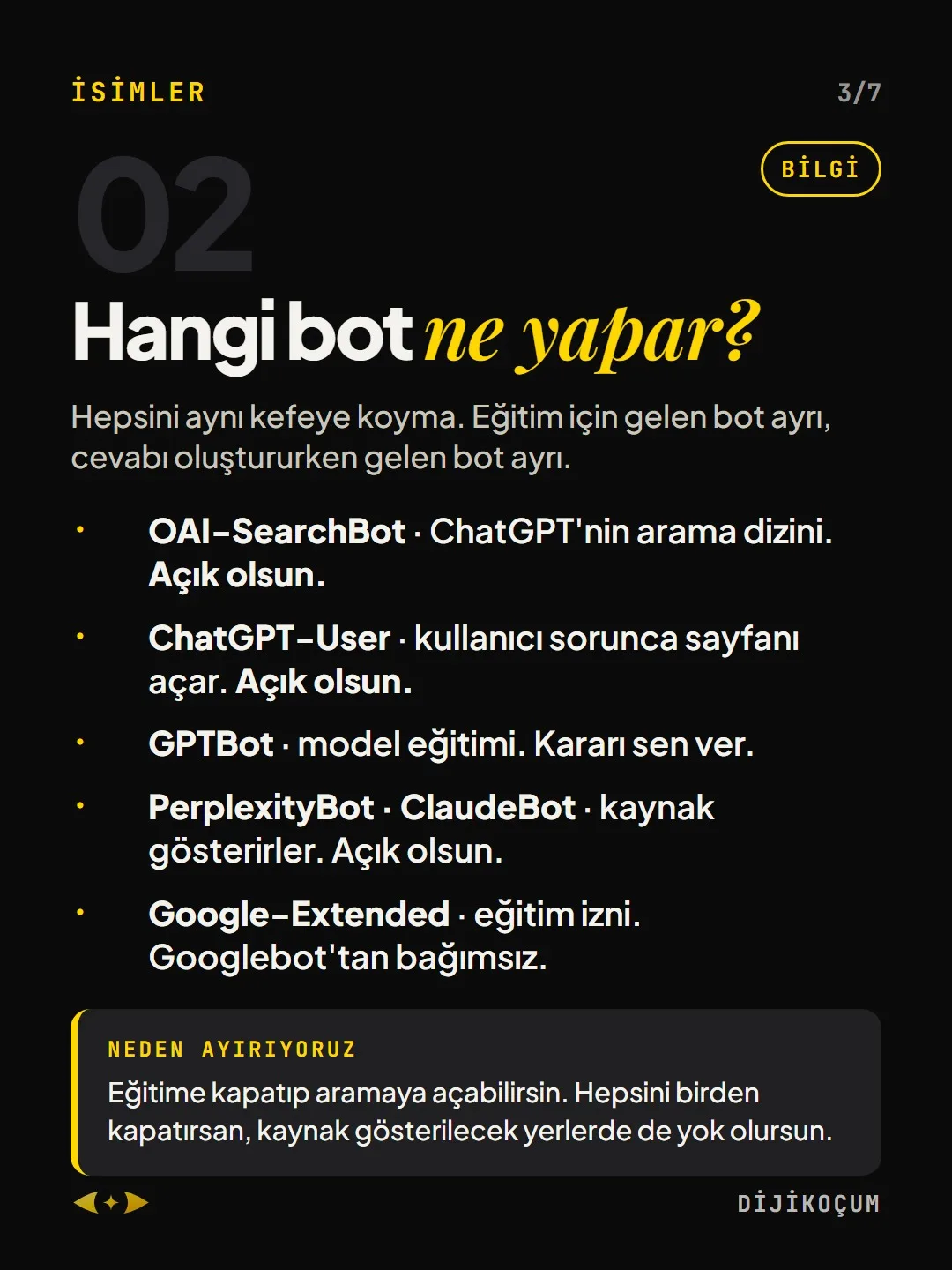
Don’t lump them all together. A bot that comes for training is one thing; a bot that comes while an answer is being generated is another.
- OAI-SearchBot · ChatGPT’s search index. Keep it open.
- ChatGPT-User · opens your page when a user asks. Keep it open.
- GPTBot · model training. Your call.
- PerplexityBot · ClaudeBot · they cite sources. Keep them open.
- Google-Extended · training permission. Independent of Googlebot.
Why we separate them: You can close training and keep search open. If you close all of them at once, you also disappear from the places where you could be cited as a source.
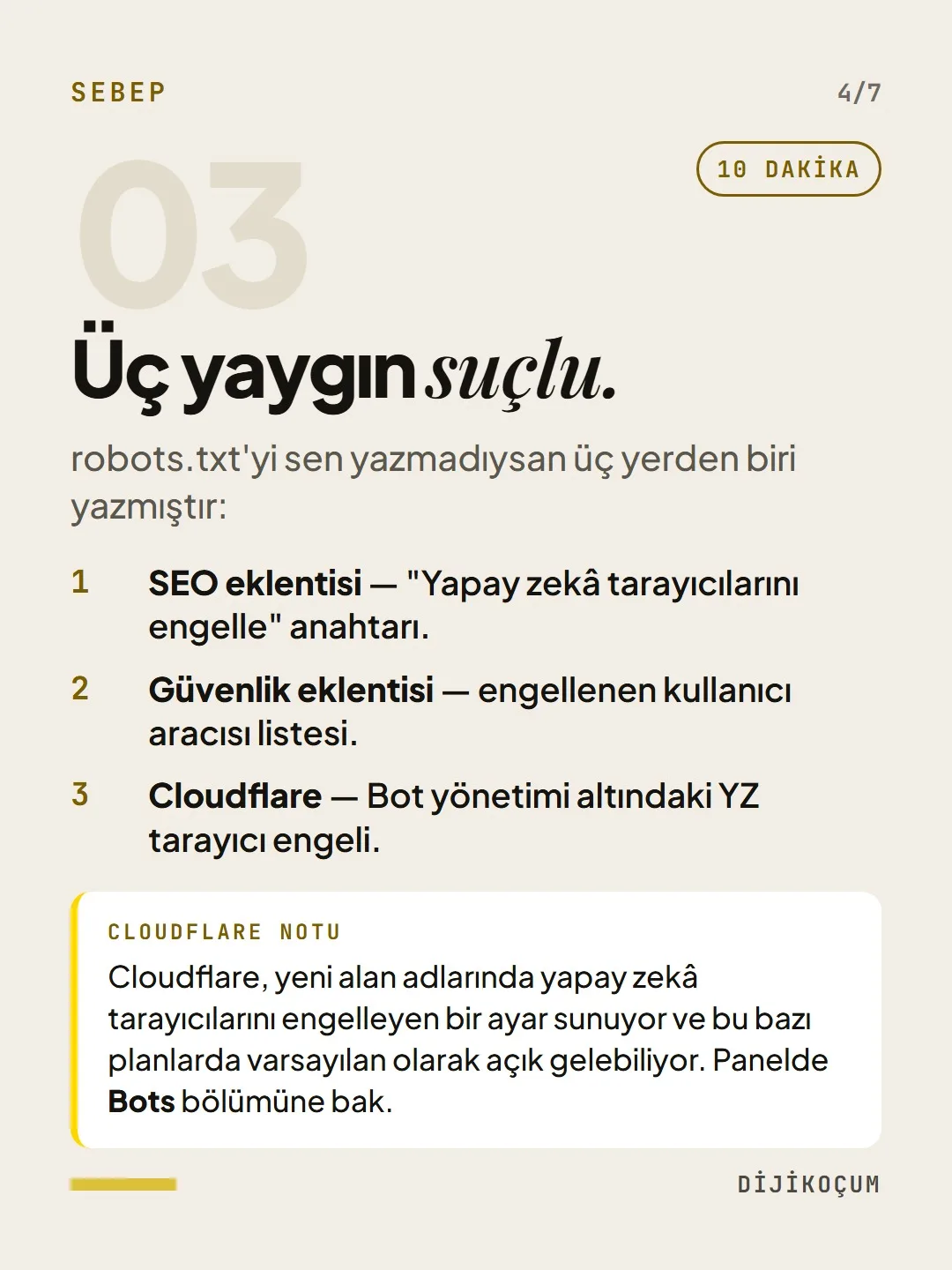
Three common culprits.
10 MINUTESIf you didn’t write your robots.txt, one of three things did:
- SEO plugin — a “Block AI crawlers” toggle.
- Security plugin — a list of blocked user agents.
- Cloudflare — the AI crawler block under Bot management.
A note on Cloudflare: Cloudflare offers a setting that blocks AI crawlers on new domains, and on some plans it may come switched on by default. Check the Bots section in the dashboard.
Knock on the door like a bot.
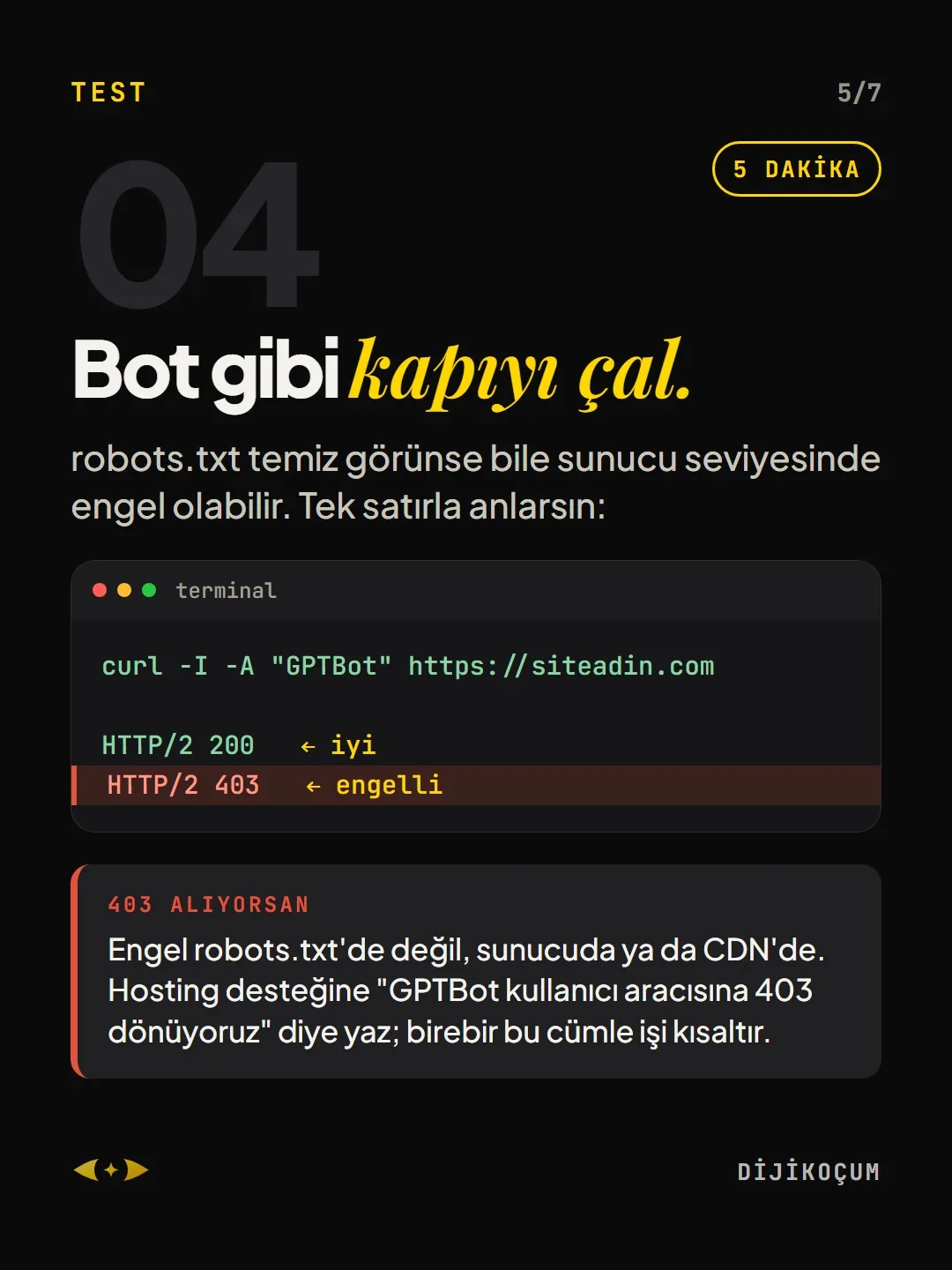
5 MINUTESEven if robots.txt looks clean, there may be a block at the server level. One line tells you:
If you get a 403: The block isn’t in robots.txt; it’s on the server or the CDN. Write to your hosting support: “We’re returning 403 to the GPTBot user agent.” That exact sentence speeds things up.
curl -I -A "GPTBot" https://yoursite.com HTTP/2 200 HTTP/2 403This is what it should look like.
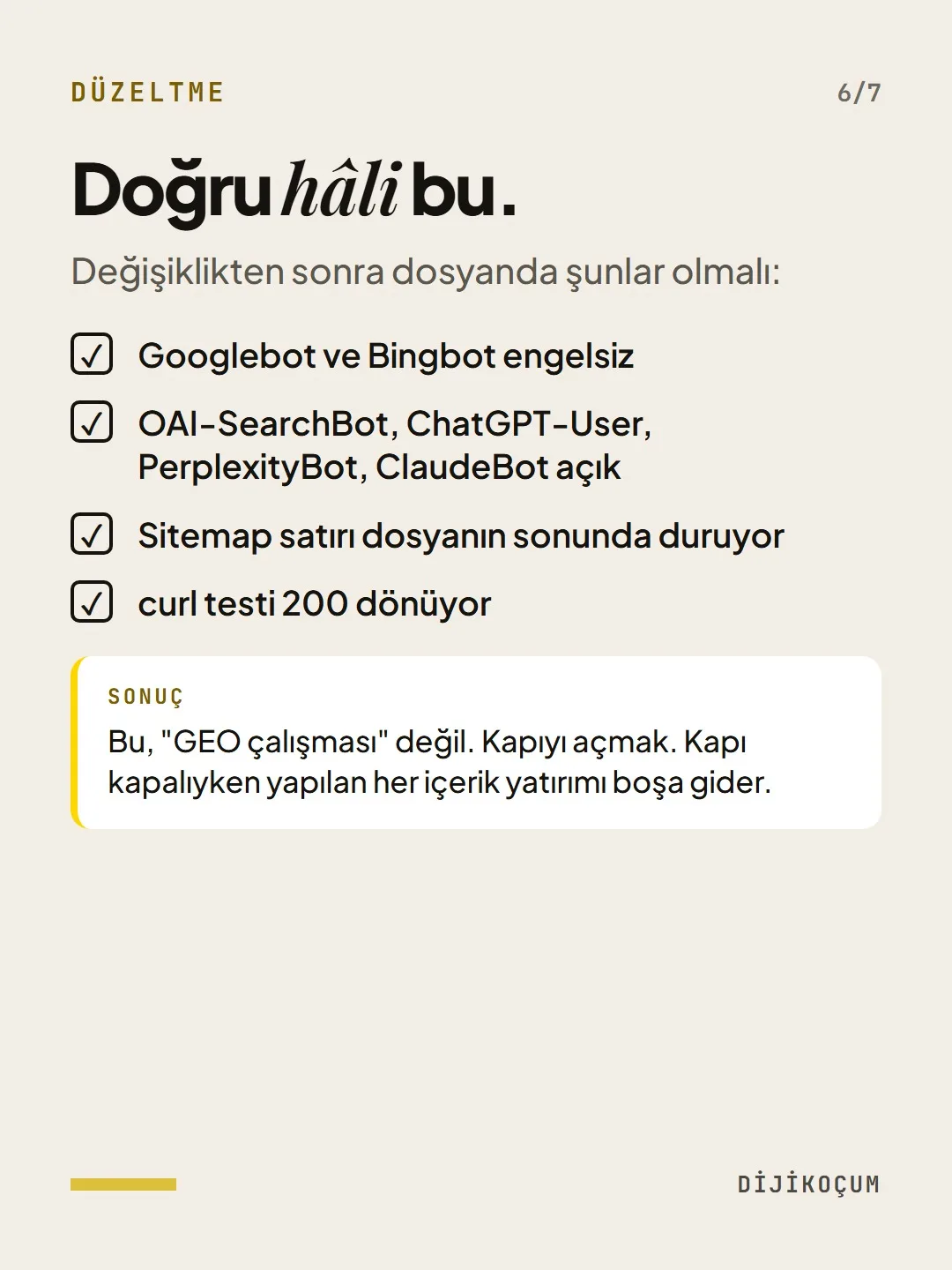
After the change, your file should have:
- Googlebot and Bingbot unblocked
- OAI-SearchBot, ChatGPT-User, PerplexityBot, ClaudeBot open
- The Sitemap line at the end of the file
- A curl test that returns 200
Bottom line: This isn’t “GEO work.” It’s opening the door. Every content investment you make while the door is closed goes to waste.
Free · PDF
Download the AI bot checklist (BOT).
A printable checklist version of the steps on this page. The PDF is in Turkish; no sign-up needed.
Download the checklist (PDF in Turkish)Sources
- AOpenAI: crawlers and user agents (GPTBot, OAI-SearchBot, ChatGPT-User)Primary source · checked: September 20, 2026
[A] primary source · [B] industry research · [C] practitioner · [D] our own data
This post is also on (in Turkish)
Frequently asked questions
How do I know if my site is blocking AI bots?
Open yoursite.com/robots.txt; if there is a Disallow: / under GPTBot, PerplexityBot or ClaudeBot, you are blocked. Then test with the command curl -I -A "GPTBot" https://yoursite.com: 200 means you are fine, 403 means you are blocked.
Are GPTBot and OAI-SearchBot the same thing?
No. OAI-SearchBot and ChatGPT-User are for search and user requests; if you want to appear in ChatGPT, they must be open. GPTBot crawls for model training, and opening or closing it is a separate decision. Google-Extended is also independent of Googlebot.
Next step
Let’s look at your site together.
Free Digital Checkup: a health score for your website, your ads and your visibility in AI search, plus what to fix first. 3 minutes.
More guides

Tools
How to transform product photos with ChatGPT Images 2.5: 20 ready-made image prompts (step by step)
26 steps · 14 min
Tools
5 Free Animation Skills for Claude Code: How to Install Three.js, GSAP, design-dna, LottieFiles and Genjutsu (Step by Step)
16 steps · 9 min

Tools
How to Use the Prompt Library and Prompt Builder: Copy a Ready-Made Prompt, Fill In the Blanks
9 steps · 7 min