
Professional Headshot from Your Own Photo (LinkedIn, Corporate)
Professional portrait With your own photoPortrait 4:5 1 try
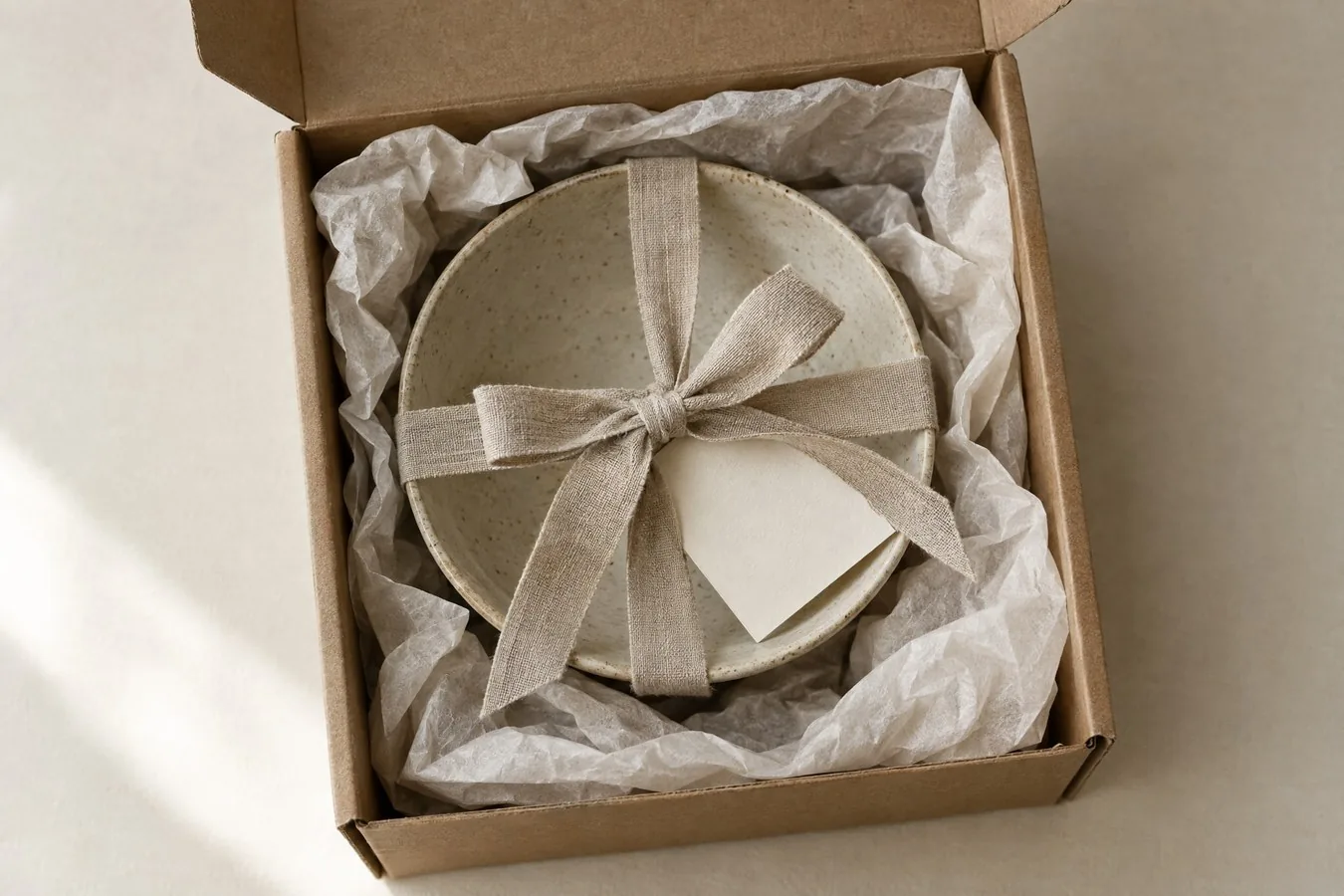
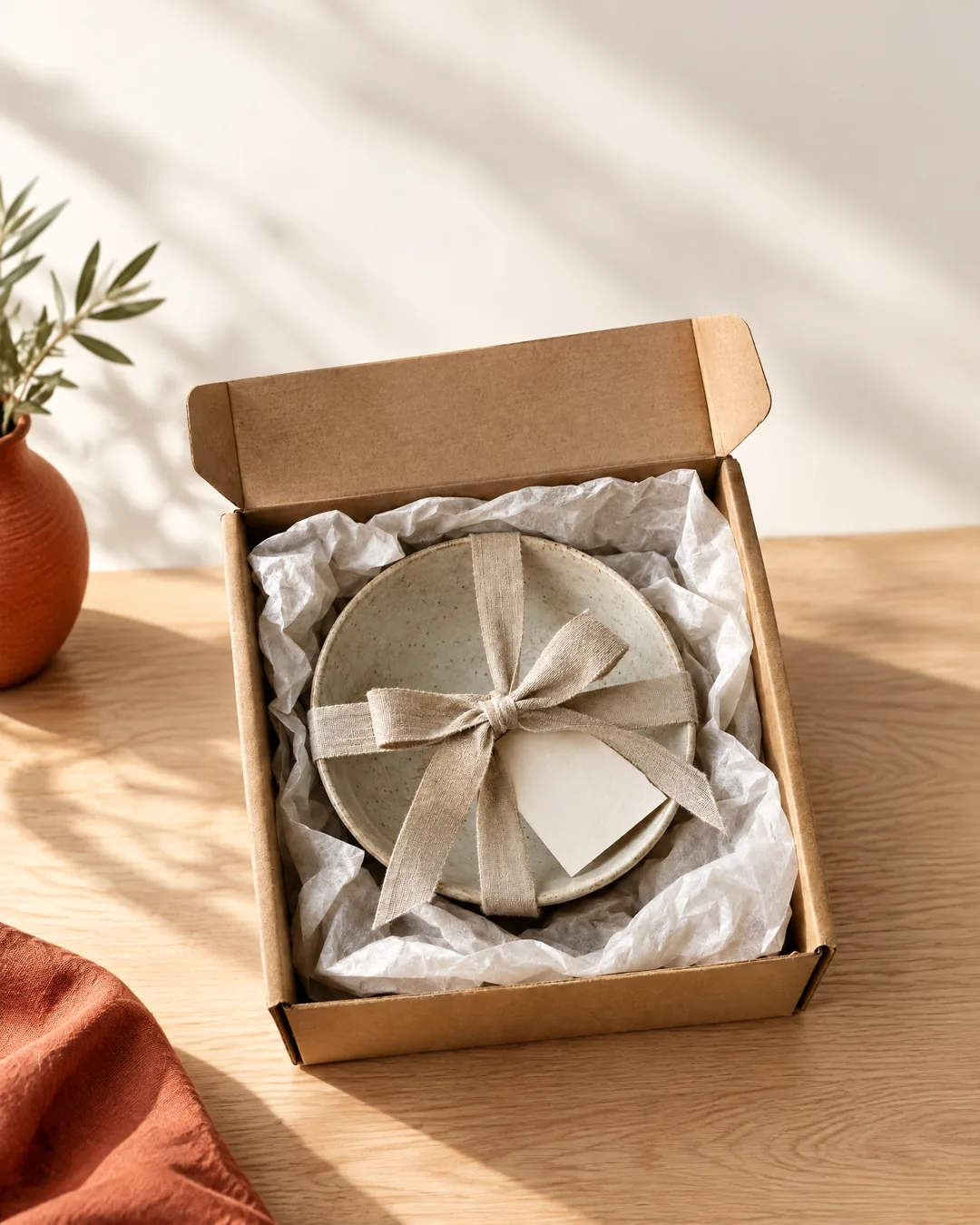
Turn this product photo into a Meta (Instagram/Facebook) feed ad image, 4:5. Keep the product exactly as in the photo: [the kraft gift box with the stoneware bowl and linen ribbon] - same shape, colors, materials and proportions, including [the open lid flap of the box, the tissue paper and the blank gift tag]; do not remove or redesign any part of the packaging. Place it in [a bright, minimal scene on a light oak table with soft morning shadows]. Leave clean empty space in the top third for a headline that will be added later; do not write any text, prices or logos in the image. Eye-catching but natural: one clear focal point, strong contrast between product and background, one color accent: [terracotta]. Photorealistic commercial product photography.Replace the gold [bracketed] parts to match your own product, space or brand.
The prompt tells the model not to change these. Check the result anyway: these are the parts that break most often.
If the product or the packaging has changed (lid, label, color, count), don't use it in ads: if the product in the ad differs from the product delivered, it may count as misleading advertising.
Don't have the price or the discount rate written into the image; add the text in the ad tool. If the ad features a human-looking AI character, check the labeling rules.
Turns a product photo into a 4:5 ad image for the Meta (Instagram, Facebook) feed: a single focal point, a simple scene and empty space at the top for a headline. You add the text and the price in the ad tool, not in the image.
In the square brackets, change the product description (list every part of the packaging), the scene and the single accent color. If you don't list the packaging parts, the model may leave out the lid or the tag; see the attempt notes.
The example was generated with GPT Image 2.5 via Higgsfield.
What happened across attempts: On the first attempt, the product stayed in place but the box's open lid disappeared. For the second attempt, the parts were listed ("including the open lid flap of the box, the tissue paper and the blank gift tag"); the lid came back. That's why the packaging parts are a separate field in the template.
Even with the same prompt and the same settings, you won't get an identical result: models generate something different every time. The example shows what kind of result this prompt produces; it is not a guarantee.
We use cookies to improve the site and measure advertising performance. Analytics and advertising cookies run only if you accept them. Details are in our Privacy Policy and Data Protection Notice.